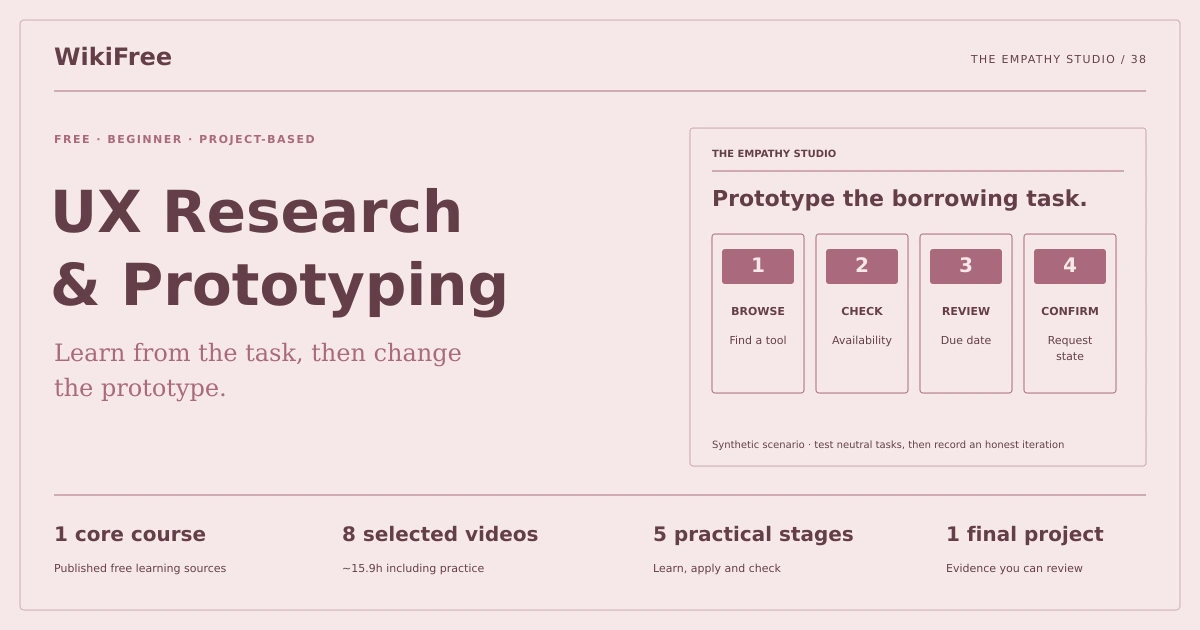
WikiFree learning path 38 · Beginner
The empathy studio
Learn from the task, then change the prototype.
Create a low-fidelity borrowing-flow prototype, a neutral usability-test plan and an evidence-linked iteration record.
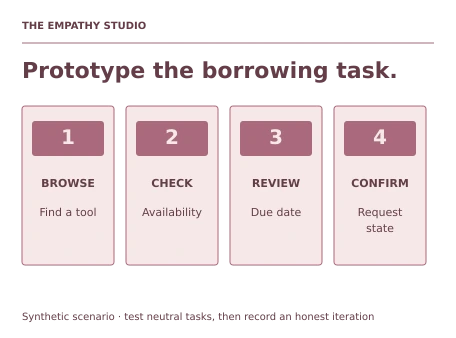
Video duration uses the selected lessons only. Reading and practice times are planning estimates; repeat difficult work as needed.
A clear starting point
Who this is for
A pen and paper or any familiar design tool. No paid design software or prior research role.
Your practical result
Create a low-fidelity borrowing-flow prototype, a neutral usability-test plan and an evidence-linked iteration record.
This is a focused formative UX exercise, not a statistically representative study, finished visual design system or job guarantee.
Access and cost
Assigned public videos can be watched free. Complete the original case in a text editor, on paper or in a spreadsheet you already have. No paid course, exam or provider certificate is included.
The project pack contains an original workbook, case inputs, an evidence log and reference notes. Some technical paths include starter code and a runnable reference. Read the pack README before starting.
Three-minute readiness check
Answer first, then open each explanation. A missed answer identifies what to revisit; it does not stop you from starting.
Is a fictional persona evidence from research?
No. Label assumptions and synthetic inputs.
Should a test task tell people which button to click?
No. State the goal neutrally.
Does a prototype need visual polish to test a flow?
No.
The case you will work on
The fictional Willow Tool Library wants a clearer borrowing kiosk. Three supplied scenario notes say: availability is hard to find; a visitor shares a phone; a volunteer needs a visible due date. These are invented practice inputs, not findings from real participants.
| Scenario note | Design question |
|---|---|
| Availability is unclear | Where should status appear? |
| A visitor shares a phone | Can the flow work without personal-device reliance? |
| Due dates are missed | Where is the return date confirmed? |
These are supplied synthetic inputs, not observations from a real organization. Label assumptions and any additional data you create.
Keep an evidence trail
Save each stage output in the project folder. In evidence_log.csv, record the decision, the artifact or test that supports it, what failed, and the revision you made.
Your route from learning to evidence
- Stage 1Frame the research questionA research brief with evidence labels.65 minutes of original practice
- Stage 2Sketch the borrowing journeyA task flow and storyboard.80 minutes of original practice
- Stage 3Build a low-fidelity prototypeA low-fidelity borrowing prototype.100 minutes of original practice
- Stage 4Write and run a neutral testA test plan and honestly labeled observation record.95 minutes of original practice
- Stage 5Prioritize and iterateAn evidence-linked iteration log.80 minutes of original practice
- Final projectMake the evidence reviewableConnect the five stage outputs and test a change.240 minutes estimated
Progress stays in this browser. Tick a stage only after its evidence check passes. This is a personal checklist, not a certificate.
Why these source courses
The path uses selected material from courses already published on WikiFree. The original exercises below connect that material to one practical outcome. Follow only the listed assignments; completing the full source courses is optional.
Free UX Design Course: Research to Prototypes by Google
Google public UX lessons support research, storyboarding, low-fidelity prototyping, testing and iteration. Paper prototypes avoid dependence on a particular paid design tool.
Access: Free Video
Certificate: Free video viewing; a Google certificate is not included
Learn it, apply it, check it
Work in order. Every stage produces something the next stage uses. Revisit the repair instruction when a check fails.
Frame the research question
A pen and paper or any familiar design tool. No paid design software or prior research role.
The idea to use
Start with a behavior you need to understand: can a visitor identify an available tool and its return date? Separate supplied scenario notes from assumptions and real observations. Define who would participate in a future study and avoid collecting information that is irrelevant to the task. This exercise can be completed with clearly labeled role-play; do not report role-play as user research.
Watch the selected lessons
Selected video time: 1h 00m. Open this course on WikiFree.
Your 65-minute lab
Write a research question, assumptions list and participant criteria for a future small study.
Save: A research brief with evidence labels..
Evidence check
Every input is marked synthetic, assumed or actually observed.
If it fails: Replace invented participant quotes with explicitly labeled scenario notes.
Sketch the borrowing journey
Bring your previous output: A research brief with evidence labels.
The idea to use
Map the task from finding a tool to confirming its due date. Include an unavailable-tool branch and a route for a visitor without a personal phone. A journey map should reveal decisions and missing information, not simply decorate a happy path. Keep the first scope small enough to prototype and test in one session.
Watch the selected lessons
Selected video time: 35m. Open this course on WikiFree.
Your 80-minute lab
Draw a six-step journey and a four-screen storyboard including an unavailable item.
Save: A task flow and storyboard..
Evidence check
Availability and due date are visible, and the no-phone route reaches completion.
If it fails: If every branch ends in the same confirmation, add the actual decision and recovery behavior.
Build a low-fidelity prototype
Bring your previous output: A task flow and storyboard.
The idea to use
Use plain boxes, labels and links or paper cards. The prototype only needs enough detail to test navigation, information order and feedback. Avoid making unavailable tools look selectable without explanation. Keep language consistent across screens and make the final state clear so a tester knows whether a request was submitted or merely reviewed.
Watch the selected lessons
Selected video time: 42m. Open this course on WikiFree.
Your 100-minute lab
Build the four-screen flow with working or simulated navigation and a clearly labeled request confirmation.
Save: A low-fidelity borrowing prototype..
Evidence check
A reviewer can complete the available-tool route and recover from an unavailable selection.
If it fails: Do not hide a missing interaction behind a polished static mockup.
Write and run a neutral test
Bring your previous output: A low-fidelity borrowing prototype.
The idea to use
A usability task describes a goal without revealing the interface path. Ask the participant to find an available drill and identify when it must be returned. Record observed actions, hesitation and outcome separately from your interpretation. If using a friend, obtain ordinary consent for the session and avoid recording personal information; a solo role-play must remain labeled as such.
Watch the selected lessons
Selected video time: 1h 45m. Open this course on WikiFree.
Your 95-minute lab
Write three neutral tasks and an observation sheet. Run a role-play or a consented small practice session, recording what actually happened.
Save: A test plan and honestly labeled observation record..
Evidence check
Tasks avoid button-name hints and observations are not rewritten as broad population findings.
If it fails: Replace users love it with the specific observed action and the size/type of the session.
Prioritize and iterate
Bring your previous output: A test plan and honestly labeled observation record.
The idea to use
Link each proposed change to an observation or an explicitly stated assumption. Prioritize problems that block the task before cosmetic preferences. Make one or two changes, then repeat the relevant task on the revised prototype. A small test can reveal a problem; it does not establish a universal success rate or eliminate the need for further research.
Watch the selected lessons
Selected video time: 54m. Open this course on WikiFree.
Your 80-minute lab
Create an issue list, revise two screens and document a before/after task comparison.
Save: An evidence-linked iteration log..
Evidence check
Every change has a reason and a retest result or an explicit not-yet-tested status.
If it fails: Do not claim an improvement was validated merely because the new screen looks cleaner.
A worked reference to compare
A useful iteration might move availability beside the tool name after a tester repeatedly opens unavailable items. The report should state exactly what happened and how the revised task went, while distinguishing role-play from real participant evidence.
Compare your reasoning as well as the result. If your answer differs, state the assumption or input that explains the difference. Reference notes are for checking after an attempt; copying them is not evidence of independent work.
Your final project
Your brief
Deliver the research brief, flow, prototype, test script and iteration record. Add a due-date misunderstanding scenario and show how the interface and retest address it.
Time box: 4h 00m estimated. Extend it if a gate needs repair.
Hand in these artifacts
- A research brief with evidence labels.
- A task flow and storyboard.
- A low-fidelity borrowing prototype.
- A test plan and honestly labeled observation record.
- An evidence-linked iteration log.
- A short README: outcome, how to inspect or run the work, assumptions and limitations.
- A before-and-after change test and the completed evidence log.
Run a final review
- Use the supplied reference to reconcile the baseline result.
- Choose one relevant input or constraint to change. Write your expected effect before testing it.
- Run the calculation, walkthrough or test again and save the actual result.
- Ask a peer to inspect the evidence, or perform a separate self-review. Label which review you used.
- Score the work using the rubric and repair every critical failure.
Review rubric · 100 points
| Criterion | Points | Evidence to inspect |
|---|---|---|
| Practical outcome and case reasoning | 25 | Create a low-fidelity borrowing-flow prototype, a neutral usability-test plan and an evidence-linked iteration record. |
| Five stage checks | 30 | Award 6 points for each stage only when its stated gate is demonstrably met. |
| Traceable evidence | 20 | Artifacts, inputs and calculations or tests are reproducible; synthetic and simulated evidence is labelled. |
| Revision after a changed condition | 15 | Change one input or constraint, predict the effect, test it and record the result. |
| Handoff quality | 10 | A reviewer can find the files, follow the instructions and understand the remaining limitations. |
Completion target: at least 80/100, all five stage gates passed, and every critical issue below corrected. This is a learning benchmark, not an accredited qualification.
Critical issue: Synthetic inputs, assumptions and real observations remain clearly distinguished throughout the case study.
Before you go further
What will I be able to produce?
Create a low-fidelity borrowing-flow prototype, a neutral usability-test plan and an evidence-linked iteration record.
Is the whole path free?
Assigned public videos can be watched free. Complete the original case in a text editor, on paper or in a spreadsheet you already have. No paid course, exam or provider certificate is included.
Do I need to finish every source course?
No. Follow the selected assignments at each stage. Source courses provide context, while the original case, labs and final review build the practical result. Extra study is optional.
What counts as completion?
Complete all five stage checks, earn at least 80/100 on the final rubric and correct every critical issue. This is a focused formative UX exercise, not a statistically representative study, finished visual design system or job guarantee.
Questions & discussion
Share a useful question or correction. Comments appear after moderation. Please avoid personal or sensitive information.