WikiFree learning path 24 · Beginner
The query bench
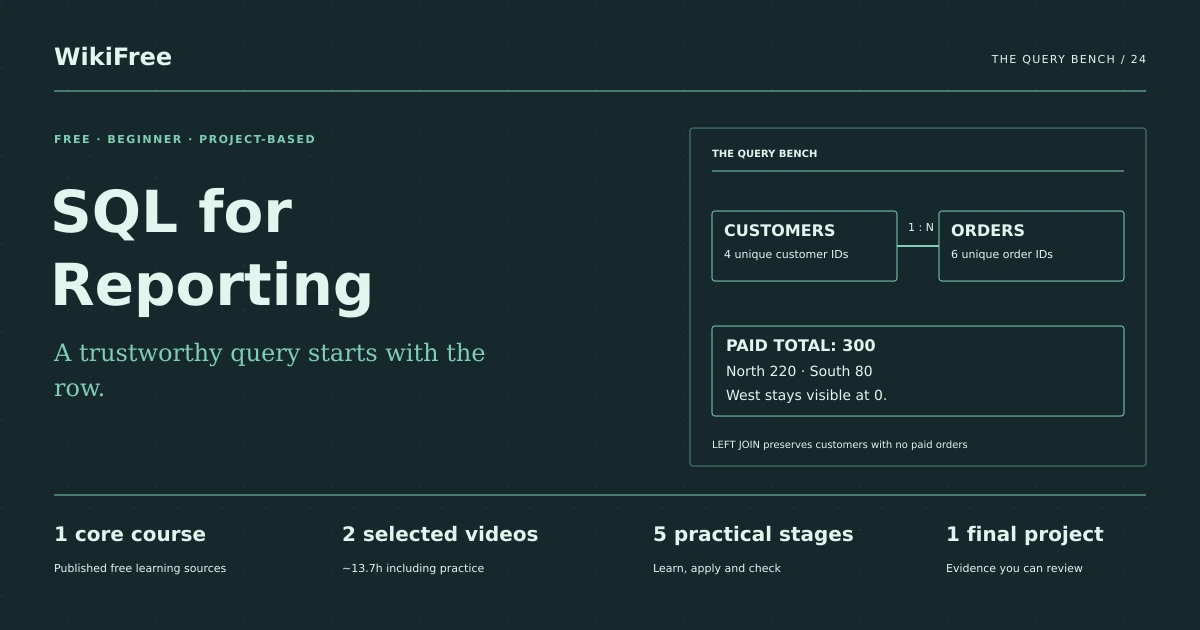
A trustworthy query starts with the row.
Create a SQLite reporting database, join customers to orders and produce a reconciled paid-sales report including customers with no paid orders.
Video duration uses the selected lessons only. Reading and practice times are planning estimates; repeat difficult work as needed.
A clear starting point
Who this is for
Basic spreadsheet tables and arithmetic. A local SQLite-compatible editor; no server subscription.
Your practical result
Create a SQLite reporting database, join customers to orders and produce a reconciled paid-sales report including customers with no paid orders.
This is a small relational reporting project, not database administration, query tuning or complete SQL Server Reporting Services training.
Access and cost
Public videos and SQLite are free. Install an official SQLite distribution or use a SQLite editor you already trust. SQL Server tools shown in the provider videos are optional; the supplied project uses SQLite.
The project pack contains an original workbook, case inputs, an evidence log and reference notes. Some technical paths include starter code and a runnable reference. Read the pack README before starting.
Three-minute readiness check
Answer first, then open each explanation. A missed answer identifies what to revisit; it does not stop you from starting.
What identifies a row?
A declared key, such as order_id.
Will a join always preserve the number of rows?
No. Non-unique matches can multiply rows.
Is a pending order paid revenue here?
No. The reporting rule includes only status paid.
The case you will work on
The fictional Harbor Workshop sells classes. Customer IDs C1 and C3 belong to North, C2 to South and C4 to West. The order amounts below are original synthetic data.
| Order | Customer | Status | Amount |
|---|---|---|---|
| O1 | C1 | paid | 100 |
| O2 | C1 | paid | 50 |
| O3 | C2 | paid | 80 |
| O4 | C2 | refunded | 40 |
| O5 | C3 | paid | 70 |
| O6 | C3 | pending | 60 |
These are supplied synthetic inputs, not observations from a real organization. Label assumptions and any additional data you create.
Keep an evidence trail
Save each stage output in the project folder. In evidence_log.csv, record the decision, the artifact or test that supports it, what failed, and the revision you made.
Your route from learning to evidence
- Stage 1Define tables and keysA runnable database with four customers and six orders.80 minutes of original practice
- Stage 2Filter the reporting populationA paid-order detail query.65 minutes of original practice
- Stage 3Join without multiplying valueA checked paid-order join.75 minutes of original practice
- Stage 4Include customers with zero salesA zero-inclusive customer and region report.80 minutes of original practice
- Stage 5Make the report repeatableA report package with a refresh check.60 minutes of original practice
- Final projectMake the evidence reviewableConnect the five stage outputs and test a change.210 minutes estimated
Progress stays in this browser. Tick a stage only after its evidence check passes. This is a personal checklist, not a certificate.
Why these source courses
The path uses selected material from courses already published on WikiFree. The original exercises below connect that material to one practical outcome. Follow only the listed assignments; completing the full source courses is optional.
Learn Skills Daily
SQL Querying and Reporting: Free Course
The first two public SQL lessons establish query fundamentals; the SQLite schema, join exercises and reconciliation checks are original additions.
Access: Free Video
Certificate: Free video viewing; certificate not included
Learn it, apply it, check it
Work in order. Every stage produces something the next stage uses. Revisit the repair instruction when a check fails.
Define tables and keys
Basic spreadsheet tables and arithmetic. A local SQLite-compatible editor; no server subscription.
The idea to use
Separate customers from orders because one customer may place many orders. Define the row grain before the columns: one row per customer, one row per order. A primary key rejects repeated IDs, while a foreign key describes a valid relationship. The companion SQL uses SQLite; the provider explains general SQL and may demonstrate different software or dialect syntax.
Watch the selected lessons
Selected video time: 1h 29m. Open this course on WikiFree.
Your 80-minute lab
Create customers and orders tables using the supplied setup file. Inspect row counts and list the two grains.
Save: A runnable database with four customers and six orders..
Evidence check
Customer and order IDs are unique; counts are 4 and 6.
If it fails: Do not combine repeated customer attributes into an unexplained duplicate customer table.
Filter the reporting population
Bring your previous output: A runnable database with four customers and six orders.
The idea to use
A WHERE condition defines which rows enter the report. Use the business rule explicitly rather than assuming every order is complete. Start by inspecting the filtered rows before aggregating. For this case, paid orders are O1, O2, O3 and O5. Sorting makes manual comparison easier, but it does not change which rows qualify.
Watch the selected lessons
Selected video time: 2h 45m. Open this course on WikiFree.
Your 65-minute lab
Select order ID, customer ID and amount for paid orders, ordered by order ID. Compute their independent total.
Save: A paid-order detail query..
Evidence check
Four rows remain and their amounts sum to 300.
If it fails: If the total is 400, pending and refunded orders have leaked into the result.
Join without multiplying value
Bring your previous output: A paid-order detail query.
The idea to use
Join each order to exactly one customer using customer_id. Check the detail row count before and after the join; a larger count can signal duplicate dimension keys or an incorrect condition. An inner join is appropriate for inspecting valid paid-order detail, but it omits customers with no matching order and therefore cannot answer every customer-coverage question.
Original practice stage. No additional video or reading assignment is required.
Your 75-minute lab
Join paid orders to customer regions. Confirm each order appears once and reconcile total value to the earlier query.
Save: A checked paid-order join..
Evidence check
Four joined rows total 300, with North 220 and South 80.
If it fails: Repair the join keys before adding DISTINCT, which can hide a modeling error.
Include customers with zero sales
Bring your previous output: A checked paid-order join.
The idea to use
A LEFT JOIN preserves every customer. Put the paid-status condition in the join condition when retaining customers with no paid orders; a WHERE condition on the order side can remove their null-extended rows. Use COALESCE on the sum to display zero, and COUNT(order_id) rather than COUNT(*) to count actual matches.
Original practice stage. No additional video or reading assignment is required.
Your 80-minute lab
Write a customer report with paid count and paid amount, including C4. Then aggregate to region.
Save: A zero-inclusive customer and region report..
Evidence check
C1=150/2 orders; C2=80/1; C3=70/1; C4=0/0; total remains 300.
If it fails: If C4 disappears, examine the placement of the paid-status condition.
Make the report repeatable
Bring your previous output: A zero-inclusive customer and region report.
The idea to use
A report handover needs the query, metric definition, source setup and expected checks. A saved result without its logic is difficult to refresh reliably. Explain how a new row affects totals and how missing or duplicate keys should be handled. Use a transaction or a fresh copy when testing changes so the baseline remains reproducible.
Original practice stage. No additional video or reading assignment is required.
Your 60-minute lab
Add test order O7 for C4, paid amount 20, in a copy. Rerun the report and document the changed total and zero-sales count.
Save: A report package with a refresh check..
Evidence check
The test total becomes 320 and no customer remains at zero paid sales.
If it fails: If a refresh changes unrelated rows, rebuild from the clean setup and inspect the update steps.
A worked reference to compare
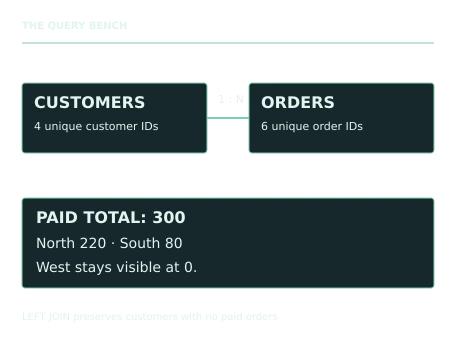
The baseline paid total is 300: North 220, South 80 and West 0. A correct customer LEFT JOIN retains C4 with count 0 and value 0. Adding paid order O7 for 20 changes only West and the grand total, now 320.
Compare your reasoning as well as the result. If your answer differs, state the assumption or input that explains the difference. Reference notes are for checking after an attempt; copying them is not evidence of independent work.
Your final project
Your brief
Submit schema, seed data, detail and summary queries, expected results and a README. Demonstrate duplicate-ID rejection and the O7 refresh scenario. A reviewer must be able to recreate the database from scratch.
Time box: 3h 30m estimated. Extend it if a gate needs repair.
Hand in these artifacts
- A runnable database with four customers and six orders.
- A paid-order detail query.
- A checked paid-order join.
- A zero-inclusive customer and region report.
- A report package with a refresh check.
- A short README: outcome, how to inspect or run the work, assumptions and limitations.
- A before-and-after change test and the completed evidence log.
Run a final review
- Use the supplied reference to reconcile the baseline result.
- Choose one relevant input or constraint to change. Write your expected effect before testing it.
- Run the calculation, walkthrough or test again and save the actual result.
- Ask a peer to inspect the evidence, or perform a separate self-review. Label which review you used.
- Score the work using the rubric and repair every critical failure.
Review rubric · 100 points
| Criterion | Points | Evidence to inspect |
|---|---|---|
| Practical outcome and case reasoning | 25 | Create a SQLite reporting database, join customers to orders and produce a reconciled paid-sales report including customers with no paid orders. |
| Five stage checks | 30 | Award 6 points for each stage only when its stated gate is demonstrably met. |
| Traceable evidence | 20 | Artifacts, inputs and calculations or tests are reproducible; synthetic and simulated evidence is labelled. |
| Revision after a changed condition | 15 | Change one input or constraint, predict the effect, test it and record the result. |
| Handoff quality | 10 | A reviewer can find the files, follow the instructions and understand the remaining limitations. |
Completion target: at least 80/100, all five stage gates passed, and every critical issue below corrected. This is a learning benchmark, not an accredited qualification.
Critical issue: The paid total reconciles and the zero-order customer is retained without counting a phantom order.
Before you go further
What will I be able to produce?
Create a SQLite reporting database, join customers to orders and produce a reconciled paid-sales report including customers with no paid orders.
Is the whole path free?
Public videos and SQLite are free. Install an official SQLite distribution or use a SQLite editor you already trust. SQL Server tools shown in the provider videos are optional; the supplied project uses SQLite.
Do I need to finish every source course?
No. Follow the selected assignments at each stage. Source courses provide context, while the original case, labs and final review build the practical result. Extra study is optional.
What counts as completion?
Complete all five stage checks, earn at least 80/100 on the final rubric and correct every critical issue. This is a small relational reporting project, not database administration, query tuning or complete SQL Server Reporting Services training.
Questions & discussion
Share a useful question or correction. Comments appear after moderation. Please avoid personal or sensitive information.