WikiFree learning paths / 05 · The maker’s terminal
The maker’s terminal
Build a small tool. Make its behavior predictable.
Create a command-line program that validates a ticket CSV, summarizes workload and passes tests for normal, empty and invalid input.
Build log / 001
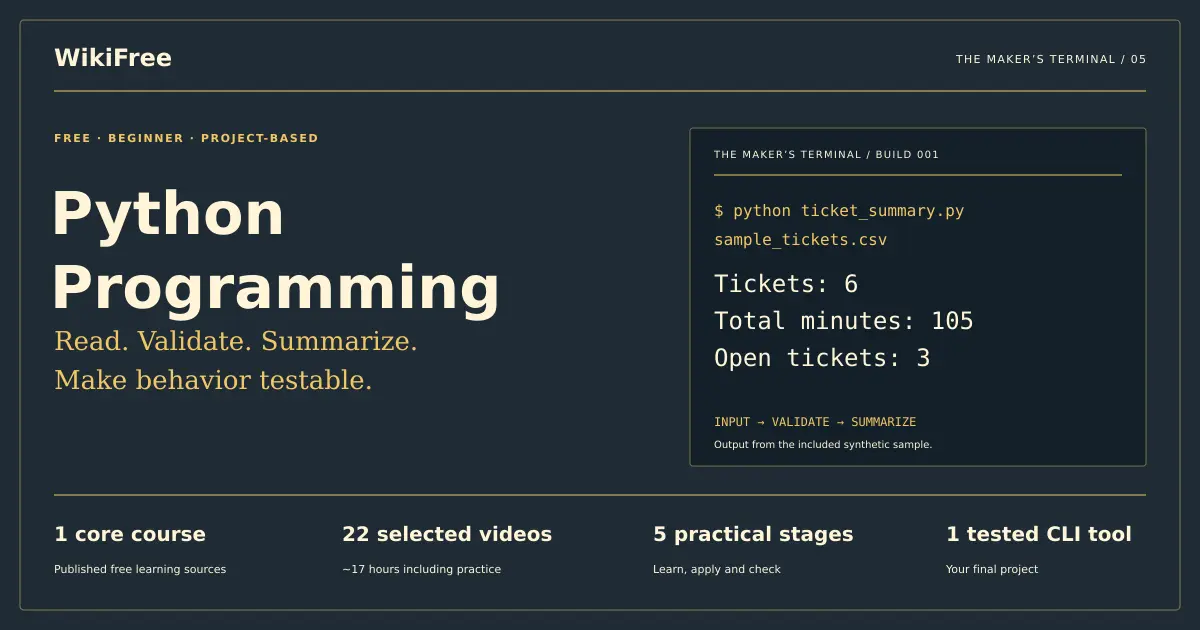
Make behavior testable.
Tickets: 6
Total minutes: 105
Open tickets: 3
Input → Validate → Summarize
- Beginner
- starting level
- 1
- core course
- ≈18h
- learning + practice estimate
- 5 + 1
- stages + final project
The practical outcome
What you will be able to show
Create a command-line program that validates a ticket CSV, summarizes workload and passes tests for normal, empty and invalid input.
For: First-time programmers comfortable managing files and folders.
Before you begin: A computer, Python 3 and a text editor. The reference uses only the standard library; no paid API, cloud account or package subscription is required.
Original pathway and exercises by WikiFree Editorial. Course pages and official source metadata reviewed on 12 October 2026. Version 1.0.
A ten-minute starting check
Try these before opening a lesson
Answer in your own words, then reveal the guidance. If you can already demonstrate a stage’s completion gate with evidence, skim its lesson assignment and move to the next stage.
Can you find a file from a terminal using its path?
If not, begin with setup and practice opening the project folder before writing logic.
Why can the text "12" behave differently from the number 12?
CSV fields arrive as strings; explicit conversion is needed for arithmetic.
What should happen when an input file is missing?
The program should report a clear error and return a nonzero exit code, not invent an empty successful report.
Sequence with a purpose
Build one layer at a time
- 01Run and observeA runnable script and environment note.
- 02Model valid and invalid valuesA validation table and parsing functions.
- 03Aggregate a collectionA pure summary function and expected-results table.
- 04Read CSV and expose a clear commandA CLI with help text and readable failures.
- 05Prove behavior with automated testsAn automated suite and a short test report.
Finish with the capstone. Progress means a reviewable output, not simply a watched video.
A deliberately short course list
Use these courses for these reasons
Free Python Course for Beginners by Microsoft
Microsoft · Beginner · English
Short paired explanations and demos support an incremental first program. We stop before APIs, keys and decorators because they do not help this project.
Assigned viewing: 2h 3m 49s. The full source course contains additional material.
Open the WikiFree course and official learning route ↗Free learning, clearly defined
The selected Microsoft YouTube videos are free to view. Python and a plain editor are sufficient for the project. Setup screens in older videos may differ from current software. No certificate is promised.
Skills and evidence
| Stage / skill | Learning support | Evidence to produce |
|---|---|---|
| 01 · Run and observe | Microsoft selected lessons | A runnable script and environment note. |
| 02 · Model valid and invalid values | Microsoft selected lessons | A validation table and parsing functions. |
| 03 · Aggregate a collection | Microsoft selected lessons | A pure summary function and expected-results table. |
| 04 · Read CSV and expose a clear command | WikiFree original bridge lesson | A CLI with help text and readable failures. |
| 05 · Prove behavior with automated tests | WikiFree original bridge lesson | An automated suite and a short test report. |
Stage 1 / The maker’s terminal
Run and observe
You will: Execute a script and explain its output.
Assigned learning
Free Python Course for Beginners by Microsoft
- Lesson 1 · Programming with Python
- Lesson 2 · Introducing Python
- Lesson 3 · Getting Started
- Lesson 4 · Configuring Visual Studio Code
- Lesson 5 · Using Print
- Lesson 6 · Demo: Hello World
Use the names if the provider later changes the order. Only these assignments enter the core estimate.
Create a project folder and save a small script before experimenting. Run it from that folder with python ticket_summary.py or the Python 3 launcher used on your system. A filename and its contents are different things; the terminal must point to the file you actually edited.
Write a short output contract before implementing it: summary labels, supported inputs and what failure looks like. That contract will later become test cases.
Make something reviewable
Print a heading and three labeled values for a fictional ticket. Change one value and predict the new output before rerunning. Record the Python version that actually ran.
Deliver: A runnable script and environment note.
Completion gate
You can run the saved file twice and explain each output line.
If you get stuck: If “file not found” appears, inspect the working folder and filename. If the old output persists, save the editor buffer and rerun the intended file.
Stage 2 / The maker’s terminal
Model valid and invalid values
You will: Convert and validate data deliberately.
Assigned learning
Free Python Course for Beginners by Microsoft
- Lesson 9 · String Concepts
- Lesson 10 · Demo: Strings
- Lesson 13 · Numeric Data Types
- Lesson 14 · Demo: Numbers
- Lesson 17 · Error Handling
- Lesson 18 · Demo: Error Handling
- Lesson 19 · Conditional Logic
- Lesson 20 · Demo: Conditional Logic
Use the names if the provider later changes the order. Only these assignments enter the core estimate.
A CSV value such as “15” starts as text. Convert it once, check the allowed range, and keep validation separate from reporting. Zero minutes is valid; a negative number, decimal fraction or blank is invalid under this project’s rulebook.
Use exceptions for failed input rather than silently substituting zero. A useful error names the row and field. Avoid a broad exception handler that hides programming mistakes behind “something went wrong.”
Make something reviewable
Write a parse_minutes function. Demonstrate inputs "15", "0", "-1", "", "2.5" and "hello". Add allowed-team and allowed-status checks.
Deliver: A validation table and parsing functions.
Completion gate
The first two minute examples pass; the other four fail clearly; invalid values never enter the totals.
If you get stuck: If an empty string becomes zero, remove the default. If a valid zero is rejected, check whether you used a truthiness test instead of an explicit range check.
Stage 3 / The maker’s terminal
Aggregate a collection
You will: Summarize rows with loops and functions.
Assigned learning
Free Python Course for Beginners by Microsoft
- Lesson 25 · Collections
- Lesson 26 · Demo: Collections
- Lesson 27 · Loops
- Lesson 28 · Demo: Loops
- Lesson 29 · Introducing Functions
- Lesson 30 · Demo: Functions
- Lesson 31 · Parameterized Functions
- Lesson 32 · Demo: Parameterized functions
Use the names if the provider later changes the order. Only these assignments enter the core estimate.
A list holds ticket records; a dictionary groups counts by team. Keep summarize(rows) independent from terminal printing so you can call it directly in a test. Start accumulators once, outside the loop. Update each ticket exactly once.
Separate validation from aggregation. If a duplicate ticket ID appears, this project rejects the file. That policy prevents accidental double counting; a different domain might need another documented rule.
Make something reviewable
Summarize three hard-coded tickets across two teams. Add a fourth and predict the ticket count, minute total and team change. Then refactor repeated work into named functions.
Deliver: A pure summary function and expected-results table.
Completion gate
Totals match a hand calculation and duplicate IDs are rejected instead of counted twice.
If you get stuck: If only the last ticket survives, move accumulator initialization outside the loop. If team totals leak between calls, create a fresh dictionary inside the function.
Stage 4 / The maker’s terminal
Read CSV and expose a clear command
You will: Connect file input without weakening validation.
Original WikiFree bridge lesson
Use csv.DictReader instead of splitting each line on commas; a quoted note can contain a comma. Open text files with an explicit encoding and newline="". Validate required headers before processing rows.
Use argparse for the input path. Keep main() responsible for file access, friendly errors and exit codes. A header-only file is a valid empty dataset; a file without the required header is invalid. These are different cases.
Make something reviewable
Implement <code>python ticket_summary.py sample_tickets.csv</code>. Try a missing file, a header-only file and a note containing a quoted comma. Use the supplied contract rather than guessing how to handle them.
Deliver: A CLI with help text and readable failures.
Completion gate
The sample prints the expected summary; a missing file exits nonzero; quoted notes do not shift columns.
If you get stuck: If commas break rows, use the CSV parser. If invalid input prints a success-looking partial total, validate the whole file before rendering the summary.
Stage 5 / The maker’s terminal
Prove behavior with automated tests
You will: Cover boundaries and failure contracts.
Original WikiFree bridge lesson
Write small tests with unittest: normal data, zero minutes, empty valid dataset, missing header, duplicate ID, unknown team, negative or non-integer minutes and a missing file. Assert outputs or raised errors that matter to a user.
A test is useful when a plausible mistake makes it fail. Changing a negative-minute check should break the relevant test. Do not rely only on a test that the module imports successfully.
Make something reviewable
Run <code>python -m unittest -v</code>. Deliberately break the duplicate-ID validation in a copy, observe the failing test, then restore it. Capture actual results and the interpreter version.
Deliver: An automated suite and a short test report.
Completion gate
Normal and failure cases pass after restoration; at least one deliberate defect is detected.
If you get stuck: If a test never fails, check that it calls the relevant function and asserts an observable result. Keep temporary files isolated from your real input data.
Original practice material
Your case pack and reference checks
Download the editable plain-text workbook, or open the full copy below. It contains the case inputs, templates and reference guidance. Try the exercises before reading the answers.
Download the practice workbook ↓ Download project files (ZIP) ↓Open the complete workbook in this page
WIKIFREE / THE MAKER'S TERMINAL
Original synthetic case and reference solution. 12 October 2026.

INPUT CONTRACT
Required header: ticket_id,team,minutes,status,note. No additional columns.
IDs must be nonblank and unique. Team: Support, Billing or Operations.
Status: open or closed. Minutes: nonnegative integer; blank is invalid.
Whitespace around IDs, team and status is trimmed. Notes may contain commas
when quoted correctly. Header-only is a valid empty dataset. No header is invalid.
Validate the whole file before printing a success summary. Errors exit with code 2.

RUN
Save the three code/data sections below using their indicated filenames.
python ticket_summary.py sample_tickets.csv
python -m unittest -v test_ticket_summary.py
Use the Python 3 launcher appropriate to your system. Only standard library needed.
Expected sample: 6 tickets, 105 minutes, 3 open. Billing 2/30, Operations 1/35,
Support 3/40 (tickets/minutes). These are synthetic workload data.

BEFORE THE REFERENCE
Build parse_minutes, then summary logic, then CSV reading, then the CLI.
Keep a prediction/observation test log. Do not copy the solution before trying.
Document your actual Python version and the cases you really executed.


===== sample_tickets.csv =====
ticket_id,team,minutes,status,note
T01,Support,15,closed,"Question, then resolved"
T02,Billing,20,open,Awaiting clarification
T03,Support,0,open,No work recorded yet
T04,Operations,35,closed,Setup complete
T05,Billing,10,closed,Invoice explained
T06,Support,25,open,Follow-up needed


===== ticket_summary.py =====
"""WikiFree training reference: validate an entire CSV before printing a summary."""
import argparse
import csv
import sys

TEAMS = {"Support", "Billing", "Operations"}
STATUSES = {"open", "closed"}
REQUIRED = {"ticket_id", "team", "minutes", "status", "note"}


def parse_minutes(value, row_number):
    if value is None or not value.strip():
        raise ValueError("row {}: minutes is required".format(row_number))
    try:
        minutes = int(value)
    except ValueError:
        raise ValueError("row {}: minutes must be an integer".format(row_number))
    if minutes < 0:
        raise ValueError("row {}: minutes cannot be negative".format(row_number))
    return minutes


def read_tickets(stream):
    reader = csv.DictReader(stream)
    if reader.fieldnames is None or set(reader.fieldnames) != REQUIRED:
        raise ValueError("header must contain ticket_id, team, minutes, status and note")
    if len(reader.fieldnames) != len(REQUIRED):
        raise ValueError("header contains duplicate columns")
    rows, seen = [], set()
    for line_number, raw in enumerate(reader, 2):
        if None in raw or any(value is None for value in raw.values()):
            raise ValueError("row {}: wrong number of fields".format(line_number))
        ticket_id = raw["ticket_id"].strip()
        if not ticket_id or ticket_id in seen:
            raise ValueError("row {}: missing or duplicate ticket_id".format(line_number))
        team = raw["team"].strip()
        status = raw["status"].strip()
        if team not in TEAMS:
            raise ValueError("row {}: unknown team {!r}".format(line_number, team))
        if status not in STATUSES:
            raise ValueError("row {}: unknown status {!r}".format(line_number, status))
        minutes = parse_minutes(raw["minutes"], line_number)
        seen.add(ticket_id)
        rows.append({"ticket_id": ticket_id, "team": team, "minutes": minutes,
                     "status": status, "note": raw["note"]})
    return rows


def summarize(rows):
    result = {"tickets": 0, "minutes": 0, "open": 0, "teams": {}}
    for row in rows:
        result["tickets"] += 1
        result["minutes"] += row["minutes"]
        result["open"] += int(row["status"] == "open")
        team = result["teams"].setdefault(row["team"], {"tickets": 0, "minutes": 0})
        team["tickets"] += 1
        team["minutes"] += row["minutes"]
    return result


def format_summary(result):
    lines = ["Tickets: {}".format(result["tickets"]),
             "Total minutes: {}".format(result["minutes"]),
             "Open tickets: {}".format(result["open"])]
    for name, team in sorted(result["teams"].items()):
        lines.append("{}: {} tickets, {} minutes".format(name, team["tickets"], team["minutes"]))
    return "\n".join(lines)


def main(argv=None):
    parser = argparse.ArgumentParser(description=__doc__)
    parser.add_argument("input_csv", help="UTF-8 CSV with the documented five-column header")
    args = parser.parse_args(argv)
    try:
        with open(args.input_csv, encoding="utf-8-sig", newline="") as stream:
            rows = read_tickets(stream)
        result = summarize(rows)
    except (OSError, UnicodeError, ValueError, csv.Error) as error:
        print("Error: {}".format(error), file=sys.stderr)
        return 2
    print(format_summary(result))
    return 0


if __name__ == "__main__":
    sys.exit(main())


===== test_ticket_summary.py =====
import contextlib
import io
import pathlib
import tempfile
import unittest
from ticket_summary import read_tickets, summarize, parse_minutes, main

HEADER = "ticket_id,team,minutes,status,note\n"


class TicketSummaryTests(unittest.TestCase):
    def parse(self, body):
        return read_tickets(io.StringIO(HEADER + body))

    def test_normal_totals_and_quoted_comma(self):
        rows = self.parse('A,Support,15,open,"Question, then follow-up"\nB,Billing,5,closed,Done\nC,Support,0,open,Waiting\n')
        self.assertEqual(summarize(rows), {"tickets": 3, "minutes": 20, "open": 2,
                                          "teams": {"Support": {"tickets": 2, "minutes": 15},
                                                    "Billing": {"tickets": 1, "minutes": 5}}})
        self.assertEqual(rows[0]["note"], "Question, then follow-up")

    def test_zero_is_valid(self):
        self.assertEqual(parse_minutes("0", 2), 0)

    def test_invalid_minutes(self):
        for value in ("-1", "", "2.5", "hello", None):
            with self.subTest(value=value), self.assertRaises(ValueError):
                parse_minutes(value, 2)

    def test_header_only_is_valid_empty_dataset(self):
        self.assertEqual(summarize(self.parse("")), {"tickets": 0, "minutes": 0, "open": 0, "teams": {}})

    def test_missing_header(self):
        with self.assertRaisesRegex(ValueError, "header"):
            read_tickets(io.StringIO(""))

    def test_duplicate_id(self):
        with self.assertRaisesRegex(ValueError, "duplicate"):
            self.parse("A,Support,1,open,x\nA,Support,2,closed,y\n")

    def test_duplicate_header(self):
        with self.assertRaisesRegex(ValueError, "duplicate columns"):
            read_tickets(io.StringIO(HEADER.strip() + ",note\n"))

    def test_unknown_team_and_status(self):
        for row in ("A,Unknown,1,open,x\n", "A,Support,1,maybe,x\n"):
            with self.subTest(row=row), self.assertRaises(ValueError):
                self.parse(row)

    def test_wrong_field_count(self):
        for row in ("A,Support,1,open\n", "A,Support,1,open,x,extra\n"):
            with self.subTest(row=row), self.assertRaisesRegex(ValueError, "fields"):
                self.parse(row)

    def test_missing_file_nonzero_and_no_success_output(self):
        with tempfile.TemporaryDirectory() as folder:
            out, err = io.StringIO(), io.StringIO()
            with contextlib.redirect_stdout(out), contextlib.redirect_stderr(err):
                code = main([str(pathlib.Path(folder) / "absent.csv")])
            self.assertEqual(code, 2)
            self.assertEqual(out.getvalue(), "")
            self.assertIn("Error:", err.getvalue())

    def test_late_bad_row_does_not_print_partial_success(self):
        with tempfile.TemporaryDirectory() as folder:
            path = pathlib.Path(folder) / "tickets.csv"
            path.write_text(HEADER + "A,Support,10,open,Valid\nB,Support,-1,open,Invalid\n")
            out, err = io.StringIO(), io.StringIO()
            with contextlib.redirect_stdout(out), contextlib.redirect_stderr(err):
                code = main([str(path)])
            self.assertEqual(code, 2)
            self.assertEqual(out.getvalue(), "")
            self.assertIn("negative", err.getvalue())


if __name__ == "__main__":
    unittest.main()
Case data, exercises and reference examples: WikiFree Editorial, original training material. Provider lessons are linked, not reproduced.
Final project / 4h practice estimate
A dependable help-desk summary tool
Deliver a small standard-library program another learner can run from the terminal. Match the documented input contract and explain what happens for each invalid case.
Your handover package
- ticket_summary.py with separated parsing, validation, aggregation and CLI code
- Synthetic sample CSV and a README with commands and assumptions
- Automated tests for valid, empty, duplicate and invalid inputs
- A test report with actual Python version and one demonstrated caught defect
| Criterion | Points | Evidence expected |
|---|---|---|
| Behavior and totals | 30 | The sample and independent cases produce correct totals. |
| Validation and failures | 30 | Bad headers, duplicates and invalid values fail clearly without partial success. |
| Design and readability | 20 | Functions have clear responsibilities and no unnecessary dependencies. |
| Tests and handover | 20 | Tests cover meaningful boundaries and documented commands work. |
Completion standard: aim for at least 80/100, with all critical gates met. A reviewer awards each row’s points in proportion to the evidence shown. This is a learning rubric, not a provider credential.
Silently accepting invalid data or double counting a duplicate blocks completion.
A pace that leaves room to practice
Plan the next few weeks
Assigned viewing: 2h 3m 49s. Practice and capstone: 15.0 hours, editorial estimate. Budget about 18 hours overall. Replays and personal adaptations can take longer.
| Available time | Flexible estimate | How to use it |
|---|---|---|
| 2 hours/week | 9 weeks | Reserve time to make the output and pass its gate; split a long lesson across sessions. |
| 5 hours/week | 4 weeks | Reserve time to make the output and pass its gate; split a long lesson across sessions. |
| 10 hours/week | 2 weeks | Reserve time to make the output and pass its gate; split a long lesson across sessions. |
The calculation stays in your browser. The estimates above remain usable without JavaScript.
Checkbox progress is saved only in this browser when local storage is available. It is not sent to WikiFree or synchronized to an account.
Questions before you continue
Should I install a large data library?
No. This project is intentionally small enough for csv, argparse and unittest. Learn the input contract before adding dependencies.
Can I open the reference solution immediately?
Try each stage first. Compare behavior and design afterward; matching the reference character for character is not the goal.
Sources and honest boundaries
What was checked, and what comes next
The Microsoft course supplies language foundations. CSV validation, command-line design and automated tests below are original WikiFree bridge lessons, supported by Python documentation. This route does not cover web frameworks or data science.
The complete published WikiFree course catalog was checked on 12 October 2026: 815 courses across nine API pages. Course pages and official playlist metadata or module headings were inspected. This does not mean every video was played to completion, every geographic region was tested, or a provider credential was earned.
- Microsoft · official source for Free Python Course for Beginners by Microsoft
- Python csv documentation
- Python unittest documentation
- Python argparse documentation
Keep the published course pages as your route into provider material. Access, lesson order and tool interfaces can change. Report a broken route through WikiFree’s correction page.
Questions & discussion
Share a useful question or correction. Comments appear after moderation. Please avoid personal or sensitive information.