WikiFree learning path 49 · Beginner
The object pipeline
Inspect objects, then automate a bounded action.
Write a PowerShell file-inventory script with parameters, extension summaries, a preview mode and clear error handling.
Video duration uses the selected lessons only. Reading and practice times are planning estimates; repeat difficult work as needed.
A clear starting point
Who this is for
Basic folders and command-line use. PowerShell 7 available from an official source; no administrator privileges required for the practice folder.
Your practical result
Write a PowerShell file-inventory script with parameters, extension summaries, a preview mode and clear error handling.
This is a local inventory automation, not remoting, infrastructure administration, credential handling or a complete DevOps pipeline.
Access and cost
The public videos and PowerShell are free. Use an official installation and a dedicated practice folder. No cloud service, administrator session or private production data is needed.
The project pack contains an original workbook, case inputs, an evidence log and reference notes. Some technical paths include starter code and a runnable reference. Read the pack README before starting.
Three-minute readiness check
Answer first, then open each explanation. A missed answer identifies what to revisit; it does not stop you from starting.
Does PowerShell pass only plain text between commands?
No. Its pipeline commonly carries objects.
Should a file inventory modify source files?
Not for this task.
What must an unattended script do with errors?
Report a clear failure rather than silently claiming success.
The case you will work on
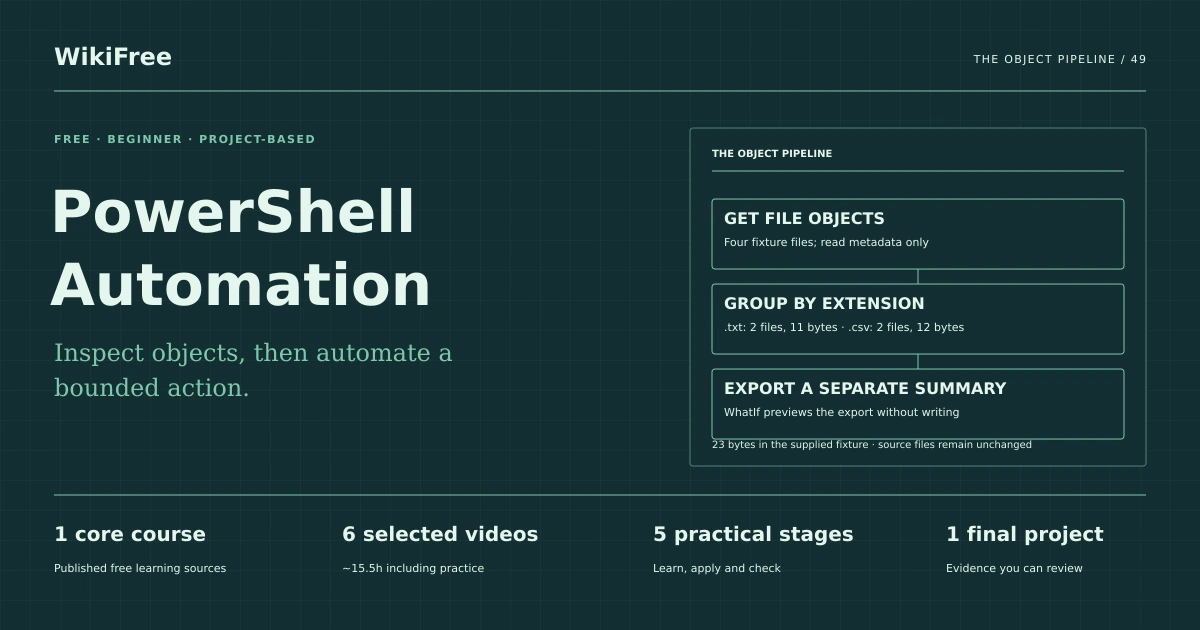
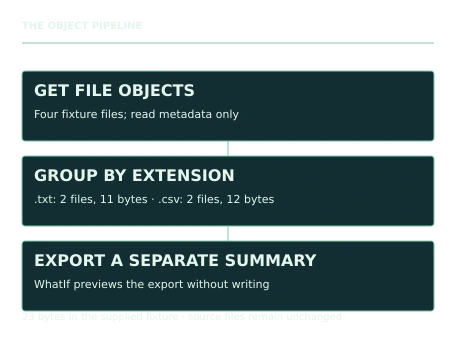
The fictional Birch Records team wants a summary of a dedicated practice folder. The supplied UTF-8 fixture contains a.txt with alpha plus a newline (6 bytes), b.txt with beta plus a newline (5), one.csv with id/1 lines (5) and two.csv with id/2/3 lines (7). The script reads metadata and exports a separate summary; it does not rename or delete inputs.
| Extension | Files | Total bytes |
|---|---|---|
| .txt | 2 | 11 |
| .csv | 2 | 12 |
These are supplied synthetic inputs, not observations from a real organization. Label assumptions and any additional data you create.
Keep an evidence trail
Save each stage output in the project folder. In evidence_log.csv, record the decision, the artifact or test that supports it, what failed, and the revision you made.
Your route from learning to evidence
- Stage 1Inspect file objectsA file-object inspection note.85 minutes of original practice
- Stage 2Build a filtering and grouping pipelineA two-row extension summary.95 minutes of original practice
- Stage 3Parameterize and validate the scriptA parameterized inventory script.95 minutes of original practice
- Stage 4Add preview and error behaviorA preview mode and documented failure behavior.80 minutes of original practice
- Stage 5Package a repeatable runA script, fixture and verification handover.65 minutes of original practice
- Final projectMake the evidence reviewableConnect the five stage outputs and test a change.240 minutes estimated
Progress stays in this browser. Tick a stage only after its evidence check passes. This is a personal checklist, not a certificate.
Why these source courses
The path uses selected material from courses already published on WikiFree. The original exercises below connect that material to one practical outcome. Follow only the listed assignments; completing the full source courses is optional.
John Savill
PowerShell Master Class: Free Course
Selected public PowerShell lessons cover objects, pipelines, scripts, error handling, data and PowerShell 7. Remoting and configuration-management lessons are outside scope.
Access: Free Video
Certificate: Free video viewing; certificate not included
Learn it, apply it, check it
Work in order. Every stage produces something the next stage uses. Revisit the repair instruction when a check fails.
Inspect file objects
Basic folders and command-line use. PowerShell 7 available from an official source; no administrator privileges required for the practice folder.
The idea to use
PowerShell commands can return objects with properties such as Name, Length and Extension. Inspect those properties before formatting output. Formatting commands are for display and should generally come after data processing. Work in the supplied practice folder so the exercise has a known input set and does not expose personal directory contents.
Watch the selected lessons
Selected video time: 1h 15m. Open this course on WikiFree.
Your 85-minute lab
List the four fixture files and inspect Name, Length and Extension. Record the difference between objects and their formatted display.
Save: A file-object inspection note..
Evidence check
The four lengths are 6, 5, 5 and 7 bytes in the supplied fixture.
If it fails: If line endings changed after recreating files, report the actual bytes and explain the difference.
Build a filtering and grouping pipeline
Bring your previous output: A file-object inspection note.
The idea to use
Filter to files, normalize extensions consistently and group the resulting objects. Count members and sum Length for each group. Keep the output as objects so it can be exported later. Decide explicitly whether subfolders are included; this first script inventories only the named folder, not a recursive tree.
Watch the selected lessons
Selected video time: 1h 07m. Open this course on WikiFree.
Your 95-minute lab
Build the extension summary and sort it by extension. Compare counts and byte totals to the fixture.
Save: A two-row extension summary..
Evidence check
Counts total 4 and lengths total 23 bytes for the unchanged fixture.
If it fails: Do not run Format-Table before Export-Csv, which can export formatting objects instead of your data.
Parameterize and validate the script
Bring your previous output: A two-row extension summary.
The idea to use
Parameters make a script reusable, but they also create new failure cases. Require an existing input directory and an output path outside that input folder for this exercise. Validate before processing, and keep the output schema stable. Clear names and help text are more useful than relying on the author current directory.
Watch the selected lessons
Selected video time: 34m. Open this course on WikiFree.
Your 95-minute lab
Add InputPath and OutputPath parameters and reject a missing input folder or an output inside the fixture folder.
Save: A parameterized inventory script..
Evidence check
The script works from a different current directory and rejects invalid paths before exporting.
If it fails: Do not assume a relative path always resolves to the folder the reader expects.
Add preview and error behavior
Bring your previous output: A parameterized inventory script.
The idea to use
A preview mode should show intended output without writing it. Use PowerShell ShouldProcess support for the export action and handle expected file or path failures with clear messages. A catch block that prints an error but exits as if everything succeeded can mislead automation. Preserve source files and avoid broad cleanup commands.
Watch the selected lessons
Selected video time: 19m. Open this course on WikiFree.
Your 80-minute lab
Run with WhatIf and verify no output file is created. Then test a valid export and a missing input path.
Save: A preview mode and documented failure behavior..
Evidence check
Preview writes nothing, valid export matches the schema and invalid input is reported clearly.
If it fails: Do not label a run successful merely because the script reached its final line.
Package a repeatable run
Bring your previous output: A preview mode and documented failure behavior.
The idea to use
Document the PowerShell version, command, input scope, output schema and known limitations. The byte expectations depend on the supplied files; regenerated platform-specific line endings can change lengths. Include the fixture and a manual verification checklist so another learner can distinguish a code error from changed input data.
Watch the selected lessons
Selected video time: 1h 15m. Open this course on WikiFree.
Your 65-minute lab
Write the README and rerun from a clean output location. Compare the exported rows with the fixture reference.
Save: A script, fixture and verification handover..
Evidence check
The report records the actual runtime and checks rather than assuming portability from syntax alone.
If it fails: Do not claim the script was executed on operating systems you did not test.
A worked reference to compare
For the supplied bytes, .txt has two files totaling 11 and .csv has two totaling 12. The total is four files and 23 bytes. Recreating the fixture with different newline encodings changes bytes, so preserve the downloaded files for the baseline check.
Compare your reasoning as well as the result. If your answer differs, state the assumption or input that explains the difference. Reference notes are for checking after an attempt; copying them is not evidence of independent work.
Your final project
Your brief
Deliver the script, unchanged fixture, expected summary, preview evidence, error-case notes and README. Add one new .txt file to a copy and show that only the corresponding count and byte sum change.
Time box: 4h 00m estimated. Extend it if a gate needs repair.
Hand in these artifacts
- A file-object inspection note.
- A two-row extension summary.
- A parameterized inventory script.
- A preview mode and documented failure behavior.
- A script, fixture and verification handover.
- A short README: outcome, how to inspect or run the work, assumptions and limitations.
- A before-and-after change test and the completed evidence log.
Run a final review
- Use the supplied reference to reconcile the baseline result.
- Choose one relevant input or constraint to change. Write your expected effect before testing it.
- Run the calculation, walkthrough or test again and save the actual result.
- Ask a peer to inspect the evidence, or perform a separate self-review. Label which review you used.
- Score the work using the rubric and repair every critical failure.
Review rubric · 100 points
| Criterion | Points | Evidence to inspect |
|---|---|---|
| Practical outcome and case reasoning | 25 | Write a PowerShell file-inventory script with parameters, extension summaries, a preview mode and clear error handling. |
| Five stage checks | 30 | Award 6 points for each stage only when its stated gate is demonstrably met. |
| Traceable evidence | 20 | Artifacts, inputs and calculations or tests are reproducible; synthetic and simulated evidence is labelled. |
| Revision after a changed condition | 15 | Change one input or constraint, predict the effect, test it and record the result. |
| Handoff quality | 10 | A reviewer can find the files, follow the instructions and understand the remaining limitations. |
Completion target: at least 80/100, all five stage gates passed, and every critical issue below corrected. This is a learning benchmark, not an accredited qualification.
Critical issue: The script does not alter input files, preview performs no export and invalid paths do not produce a false success.
Before you go further
What will I be able to produce?
Write a PowerShell file-inventory script with parameters, extension summaries, a preview mode and clear error handling.
Is the whole path free?
The public videos and PowerShell are free. Use an official installation and a dedicated practice folder. No cloud service, administrator session or private production data is needed.
Do I need to finish every source course?
No. Follow the selected assignments at each stage. Source courses provide context, while the original case, labs and final review build the practical result. Extra study is optional.
What counts as completion?
Complete all five stage checks, earn at least 80/100 on the final rubric and correct every critical issue. This is a local inventory automation, not remoting, infrastructure administration, credential handling or a complete DevOps pipeline.
Questions & discussion
Share a useful question or correction. Comments appear after moderation. Please avoid personal or sensitive information.