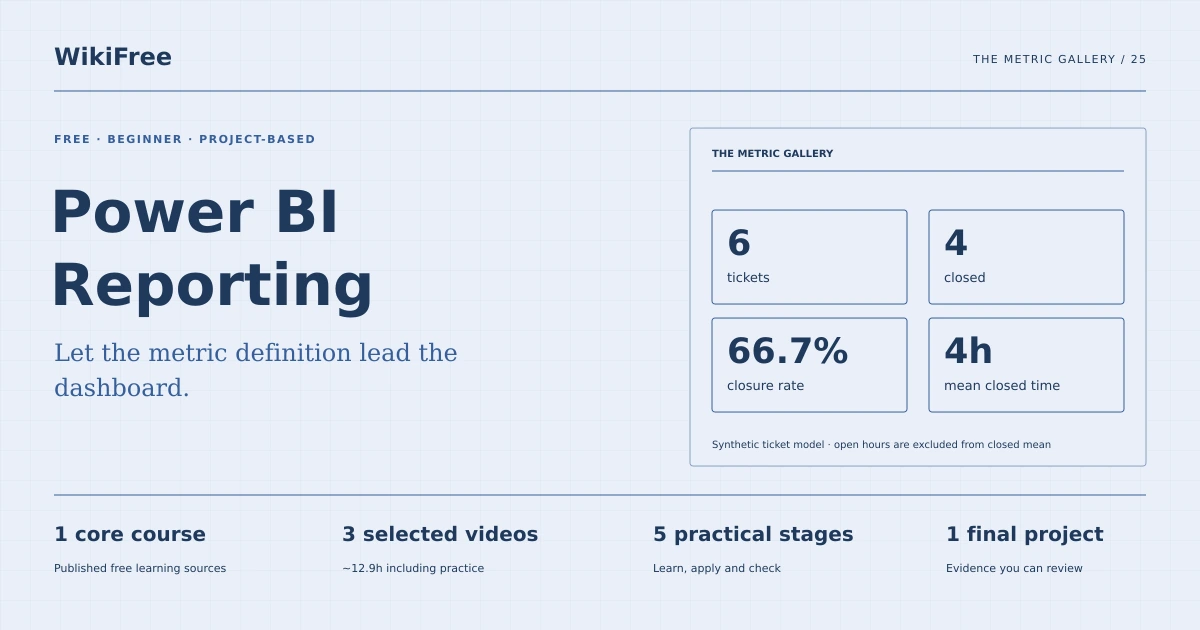
WikiFree learning path 25 · Beginner
The metric gallery
Let the metric definition lead the dashboard.
Build a local Power BI report with a clean ticket model, explicit measures, working filters and reconciled totals.
Video duration uses the selected lessons only. Reading and practice times are planning estimates; repeat difficult work as needed.
A clear starting point
Who this is for
Basic spreadsheet skills and access to a Windows computer that meets Power BI Desktop requirements.
Your practical result
Build a local Power BI report with a clean ticket model, explicit measures, working filters and reconciled totals.
This covers a local introductory report. It does not claim a Microsoft credential or include enterprise deployment, advanced DAX or paid service sharing.
Access and cost
The videos and Power BI Desktop are free. Desktop requires a compatible Windows computer. Cloud collaboration may require a separate account or license and is not required by this path.
The project pack contains an original workbook, case inputs, an evidence log and reference notes. Some technical paths include starter code and a runnable reference. Read the pack README before starting.
Three-minute readiness check
Answer first, then open each explanation. A missed answer identifies what to revisit; it does not stop you from starting.
What is the grain?
One ticket per row.
Should open tickets enter the closed-time average?
No.
Does a beautiful chart establish correctness?
No. Reconcile its measures to the underlying rows.
The case you will work on
The fictional Beacon Support team tracks accepted resolutions. A ticket has one row, with its team, status and elapsed hours. Closed means resolved and accepted in this exercise; open rows are excluded from closure measures.
| Ticket | Team | Status | Hours |
|---|---|---|---|
| B1 | North | closed | 2 |
| B2 | North | closed | 4 |
| B3 | North | open | 8 |
| B4 | South | closed | 3 |
| B5 | South | closed | 7 |
| B6 | South | open | 6 |
These are supplied synthetic inputs, not observations from a real organization. Label assumptions and any additional data you create.
Keep an evidence trail
Save each stage output in the project folder. In evidence_log.csv, record the decision, the artifact or test that supports it, what failed, and the revision you made.
Your route from learning to evidence
- Stage 1Import and inspect the sourceA clean query and import log.80 minutes of original practice
- Stage 2Build a simple modelA model diagram and data dictionary.70 minutes of original practice
- Stage 3Define explicit measuresFour checked measures and a reconciliation table.85 minutes of original practice
- Stage 4Design a focused report pageA report page and filter test log.85 minutes of original practice
- Stage 5Hand over the local reportA local report handover with refresh instructions.55 minutes of original practice
- Final projectMake the evidence reviewableConnect the five stage outputs and test a change.240 minutes estimated
Progress stays in this browser. Tick a stage only after its evidence check passes. This is a personal checklist, not a certificate.
Why these source courses
The path uses selected material from courses already published on WikiFree. The original exercises below connect that material to one practical outcome. Follow only the listed assignments; completing the full source courses is optional.
Learn Skills Daily
Power BI Basics: Free Course
The three existing public lessons provide the Power BI interface and reporting progression; the ticket data, DAX measures and verification exercises are original WikiFree material.
Access: Free Video
Certificate: Free video viewing; certificate not included
Learn it, apply it, check it
Work in order. Every stage produces something the next stage uses. Revisit the repair instruction when a check fails.
Import and inspect the source
Basic spreadsheet skills and access to a Windows computer that meets Power BI Desktop requirements.
The idea to use
Use a stable table with one header row and explicit types. In Power Query, inspect IDs, categories and numeric hours before building charts. Keep an unmodified source CSV and record every transformation. The teaching dataset is small enough for an independent hand calculation, which provides an anchor when report filters later change the displayed values.
Watch the selected lessons
Selected video time: 1h 07m. Open this course on WikiFree.
Your 80-minute lab
Import the provided six-row ticket CSV. Set text and numeric types, check unique ticket IDs and record row count.
Save: A clean query and import log..
Evidence check
Six unique tickets load; hours are numeric and no row is silently removed.
If it fails: Fix a parsing or type issue at the query step instead of hiding the row in a visual.
Build a simple model
Bring your previous output: A clean query and import log.
The idea to use
A model describes relationships and the meaning of rows. For this single-table exercise, a separate relationship is unnecessary; do not manufacture complexity merely to draw a star. Document Ticket as the grain and Team and Status as dimensions. A future team lookup must have one unique row per team and a relationship that does not multiply ticket records.
Watch the selected lessons
Selected video time: 34m. Open this course on WikiFree.
Your 70-minute lab
Write a model note and validate the category values. Sketch an optional team lookup and explain why its key must be unique.
Save: A model diagram and data dictionary..
Evidence check
The note distinguishes row identifiers, dimensions and numeric values without an unnecessary many-to-many relationship.
If it fails: If totals change after adding a lookup, inspect duplicate keys and filter direction.
Define explicit measures
Bring your previous output: A model diagram and data dictionary.
The idea to use
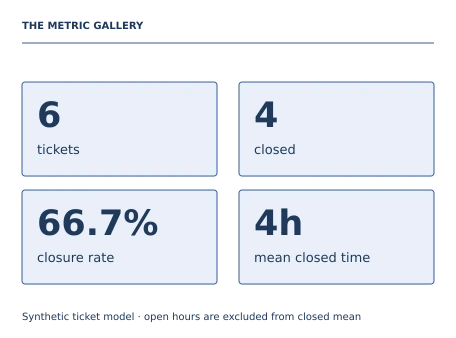
Write measures for total tickets, closed tickets, closure rate and mean hours for closed tickets. Use DIVIDE for the rate and give measures understandable labels. The baseline is 6 tickets, 4 closed, 66.7% closure and 4 hours across closed tickets. This average is not the mean age of all tickets and should not be labeled as such.
Original practice stage. No additional video or reading assignment is required.
Your 85-minute lab
Create the four measures from the provided formulas. Compare each with a manual calculation before adding charts.
Save: Four checked measures and a reconciliation table..
Evidence check
The grand totals are 6, 4, 66.7% and 4 hours, with the denominator documented.
If it fails: If the mean is 5, your calculation likely includes open-ticket hours.
Design a focused report page
Bring your previous output: Four checked measures and a reconciliation table.
The idea to use
Give a viewer one useful question: how does closure performance differ by team? Place definitions and the period note near the relevant measures. A team comparison and a detail table can explain the headline without decorative visual clutter. Use labels in addition to color and verify that each slicer changes only the intended context.
Watch the selected lessons
Selected video time: 1h 00m. Open this course on WikiFree.
Your 85-minute lab
Build a one-page report with metric cards, a team comparison, a detail table and a Team slicer. Test North and South separately.
Save: A report page and filter test log..
Evidence check
North closed mean is 3 hours; South is 5; both closure rates are 2/3.
If it fails: A slicer that changes one visual but not its supporting table needs interaction review.
Hand over the local report
Bring your previous output: A report page and filter test log.
The idea to use
A local PBIX file can be reviewed without promising cloud sharing permissions. Document the source file location, refresh steps, software version and metric definitions. Keep the synthetic data in the handover folder. Report export and service sharing depend on the installed version and account; neither is needed to assess the local modeling and calculation outcome.
Original practice stage. No additional video or reading assignment is required.
Your 55-minute lab
Save the PBIX and source CSV. Add a seventh closed North ticket with 3 hours in a copy and describe the expected refresh changes.
Save: A local report handover with refresh instructions..
Evidence check
The refreshed totals are 7 tickets, 5 closed and mean closed hours 19/5=3.8.
If it fails: If refresh cannot locate the CSV, fix and document its path before handing over the file.
A worked reference to compare
The original closed-ticket hours sum to 16 across four tickets, so the mean is 4. North averages 3 and South 5. Closure rate is 4/6; it must not be confused with the proportion of all elapsed hours spent on closed tickets.
Compare your reasoning as well as the result. If your answer differs, state the assumption or input that explains the difference. Reference notes are for checking after an attempt; copying them is not evidence of independent work.
Your final project
Your brief
Deliver the PBIX, CSV, measure definitions, model note and filter/refresh evidence. A reviewer should reproduce both the six-row baseline and seventh-ticket scenario without paid cloud publishing.
Time box: 4h 00m estimated. Extend it if a gate needs repair.
Hand in these artifacts
- A clean query and import log.
- A model diagram and data dictionary.
- Four checked measures and a reconciliation table.
- A report page and filter test log.
- A local report handover with refresh instructions.
- A short README: outcome, how to inspect or run the work, assumptions and limitations.
- A before-and-after change test and the completed evidence log.
Run a final review
- Use the supplied reference to reconcile the baseline result.
- Choose one relevant input or constraint to change. Write your expected effect before testing it.
- Run the calculation, walkthrough or test again and save the actual result.
- Ask a peer to inspect the evidence, or perform a separate self-review. Label which review you used.
- Score the work using the rubric and repair every critical failure.
Review rubric · 100 points
| Criterion | Points | Evidence to inspect |
|---|---|---|
| Practical outcome and case reasoning | 25 | Build a local Power BI report with a clean ticket model, explicit measures, working filters and reconciled totals. |
| Five stage checks | 30 | Award 6 points for each stage only when its stated gate is demonstrably met. |
| Traceable evidence | 20 | Artifacts, inputs and calculations or tests are reproducible; synthetic and simulated evidence is labelled. |
| Revision after a changed condition | 15 | Change one input or constraint, predict the effect, test it and record the result. |
| Handoff quality | 10 | A reviewer can find the files, follow the instructions and understand the remaining limitations. |
Completion target: at least 80/100, all five stage gates passed, and every critical issue below corrected. This is a learning benchmark, not an accredited qualification.
Critical issue: Closed-ticket measures exclude open rows and all cards reconcile under team filters.
Before you go further
What will I be able to produce?
Build a local Power BI report with a clean ticket model, explicit measures, working filters and reconciled totals.
Is the whole path free?
The videos and Power BI Desktop are free. Desktop requires a compatible Windows computer. Cloud collaboration may require a separate account or license and is not required by this path.
Do I need to finish every source course?
No. Follow the selected assignments at each stage. Source courses provide context, while the original case, labs and final review build the practical result. Extra study is optional.
What counts as completion?
Complete all five stage checks, earn at least 80/100 on the final rubric and correct every critical issue. This covers a local introductory report. It does not claim a Microsoft credential or include enterprise deployment, advanced DAX or paid service sharing.
Questions & discussion
Share a useful question or correction. Comments appear after moderation. Please avoid personal or sensitive information.