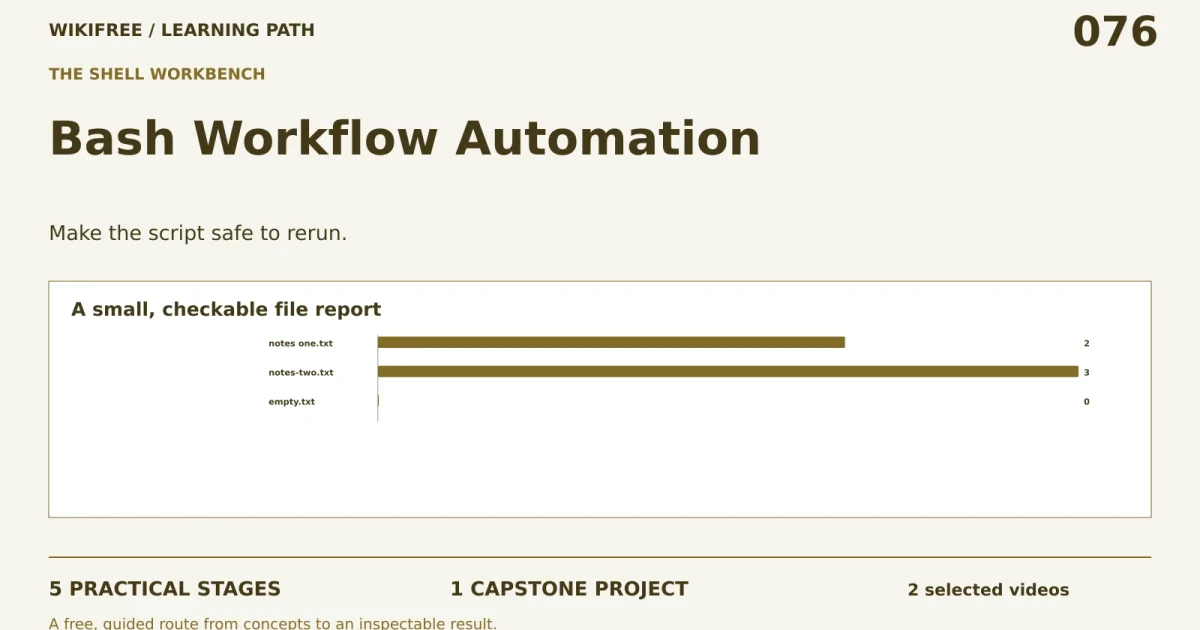
Path 76 · The shell workbench · Intermediate
Make the script safe to rerun.
A guided, practical route through bash workflow automation.
What you will be able to do
Write a Bash script that summarizes a fixture directory, handles spaces and records failures without deleting source files.
Plan about 10h 32m in total. Reading and practice are editorial estimates; video runtimes come from public provider metadata. Your pace will vary.
Before you begin
Check your starting point
What you need
Basic command-line navigation. Bash and standard local utilities; use the supplied disposable fixtures.
The selected public provider lessons are free to view. The original case can be completed with paper, a text editor or freely available local tools. Paid exams, certificates, subscriptions and optional provider software are not required for this project.
Completing this WikiFree path does not award a provider certificate. Any provider assessment, account requirement or credential must be checked separately on its official page.
Three readiness questions
Why quote a file variable?
To preserve spaces and prevent unintended word splitting.
Is a directory a regular text file?
No.
Should the report overwrite an input?
No.
Use a workable pace
At 5 hours per week, allow about 3 weeks. Start with Stage 1, continue in order and reserve 2h 30m for the capstone. If a gate fails, use its repair step before advancing. At another weekly budget, divide 632 estimated minutes by your available weekly minutes and round up.
Keep a small evidence folder. A checked box means you reviewed your output; it is not a certificate or proof that a provider lesson was watched.
The working case
A small, checkable file report
A fictional editor receives three text files: notes one.txt, notes-two.txt and empty.txt. The script must list each file and its line count into a new report. A fourth entry is a subdirectory and must be skipped. Source files must remain unchanged.
| Entry | Kind | Lines |
|---|---|---|
| notes one.txt | file | 2 |
| notes-two.txt | file | 3 |
| empty.txt | file | 0 |
| archive | directory | not counted |
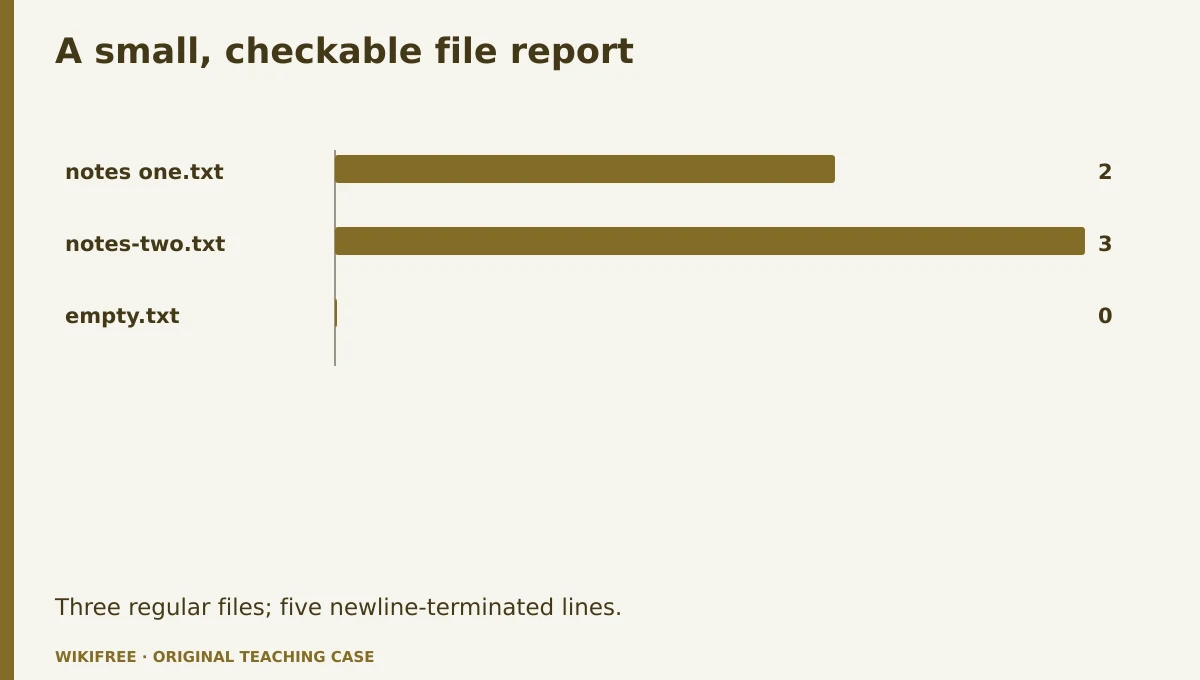
The table and explanations preserve the essential case information when the diagram is unavailable.
Your route
Five outputs, then a final handoff
- 01Understand paths and streamsFixture inventory
About 2h 20m including assigned learning and practice. - 02Build the file loopCounting script
About 1h 20m including assigned learning and practice. - 03Separate input and outputRerunnable script
About 2h 17m including assigned learning and practice. - 04Test adverse inputsTest log
About 1h 15m including assigned learning and practice. - 05Explain operation and recoveryRunbook
About 50m including assigned learning and practice. - FINALCapstone reviewCombine the evidence into one inspectable handoff.
About 2h 30m.
0 of 6 outputs checked. JavaScript adds browser-only progress saving.
The complete lesson and all downloads remain available. Use the printable project workbook to track your progress.
Use the minimum useful source material
The courses behind this route
MIT
The Missing Semester: Free Developer Tools Course
The published Missing Semester shell and command-line lectures support quoting, streams and reproducible command-line work.
Selected material only; this path does not claim completion of the entire provider course.
Course publication and selected public lesson metadata were checked on 13 October 2026. This is not a claim of full video playback, provider-course completion or permanent availability. Recheck the linked source if a lesson changes.
Learn, make, inspect
The five-stage workshop
Understand paths and streams
Video 1h 15m · reading budget 0m · original practice about 1h 5m.
A shell command receives arguments after expansion, so quoting determines whether a path with spaces remains one argument. Standard output is suitable for a report; standard error is suitable for diagnostics. Work inside a disposable case folder and identify the input and output boundaries before writing automation.
Watch these selected lessons
Do the work
Create the fixtures and inspect them without modifying their contents.
Save this output
Fixture inventory
Pass the review gate
The spaced filename is handled as one path.
If you need another attempt
Print quoted arguments before adding processing logic.
Build the file loop
Video 0m · reading budget 0m · original practice about 1h 20m.
Iterate over the expected files and check each is a regular file. Define behavior for an empty directory rather than allowing an unmatched pattern to become a fake filename. The supplied exercise uses Bash nullglob and a quoted loop. It intentionally avoids recursive deletion and does not follow arbitrary directory trees.
Original application stage. Use your preceding outputs and the supplied case; there is no additional required provider lesson.
Do the work
Write a loop that counts lines in top-level .txt files only.
Save this output
Counting script
Pass the review gate
The empty file reports zero and the directory is skipped.
If you need another attempt
Test regular-file status inside the loop.
Separate input and output
Video 1h 6m · reading budget 0m · original practice about 1h 10m.
A report written inside the scanned input can become a new input on the next run. Place it outside that directory or explicitly exclude it. Validate required arguments before processing. A temporary output followed by a rename can avoid presenting a partial report as complete when processing fails.
Watch these selected lessons
Do the work
Add argument checks and a separate report destination.
Save this output
Rerunnable script
Pass the review gate
Two runs produce the same report and never count the report itself.
If you need another attempt
Compare the scan boundary with the output path.
Test adverse inputs
Video 0m · reading budget 0m · original practice about 1h 15m.
Test the behaviors most likely to break a shell script: spaces, an empty directory, a missing input directory and a destination collision. Record exit status as well as text output. The reference scope excludes filenames containing newlines because the CSV output contract cannot represent them safely without additional escaping.
Original application stage. Use your preceding outputs and the supplied case; there is no additional required provider lesson.
Do the work
Run the supplied fixture checks and document the newline-filename limitation.
Save this output
Test log
Pass the review gate
Missing input exits nonzero and original file hashes remain unchanged.
If you need another attempt
Make failure observable instead of printing a success message unconditionally.
Explain operation and recovery
Video 0m · reading budget 0m · original practice about 50m.
A small runbook should say what the script reads, what it writes and how a user knows it succeeded. Include dependencies and the expected output. Avoid broad permission changes or system-wide configuration for a local report. Keep the command easy to reproduce from a clean fixture directory.
Original application stage. Use your preceding outputs and the supplied case; there is no additional required provider lesson.
Do the work
Write usage examples and a recovery note for an invalid destination.
Save this output
Runbook
Pass the review gate
The user can rerun after fixing the input without cleanup of source data.
If you need another attempt
List every created output file explicitly.
Make the result inspectable
Your final project
Deliver the Bash script, fixtures, expected report, hash-preservation check and runbook. Add a fourth file with spaces in its name and verify the report updates correctly.
The ZIP includes synthetic input data, a project workbook, worked reference, evidence log, scoring rubric and case-specific materials. Code projects include source and clearly stated local execution requirements.
Use one consistent rubric
| Criterion | Maximum | Evidence |
|---|---|---|
| Evidence and correctness | 30 | Calculations, source use and results match the supplied case; limitations are honest. |
| Required artifacts | 30 | All five stage outputs and the capstone handoff are present and inspectable. |
| Reasoning and decisions | 20 | Choices, assumptions, alternatives and the case-specific critical condition are explained. |
| Reproducibility | 10 | A reviewer can follow the stated steps and distinguish expected from observed results. |
| Clear communication | 10 | Labels, units, structure and evidence references make the work easy to review. |
Score at least 80/100, supply every required artifact, and satisfy the path-specific critical condition. Rework missing evidence before marking complete.
The critical condition
Source files remain unchanged, paths with spaces work and failures return a nonzero exit status.
Compare with a worked reference
The three regular text files contain 2, 3 and 0 newline-terminated lines, totaling 5. wc counts newline characters, so an unterminated last line needs a separate policy. The fixtures intentionally end their nonempty lines with newlines.
Know the boundary
The script is scoped to local top-level text fixtures and newline-terminated lines; it is not a general backup or system administration tool.
Questions before you finish
Do I need to finish every source course?
No. This path names selected lessons or reading sections. Complete the full provider course only if it supports your wider goal. The path does not claim equivalence to that course.
How do I know when to advance?
Use the output and review gate in each stage. If evidence is missing or a result conflicts with the case, follow the repair step and retry before advancing.
Can I do the project without paid software?
The selected public provider lessons are free to view. The original case can be completed with paper, a text editor or freely available local tools. Paid exams, certificates, subscriptions and optional provider software are not required for this project.
What does my checklist prove?
It records your own review in this browser only. It does not verify viewing, skill, a provider credential or a real-world deployment.
What if a lesson or tool changes?
Use the linked course and provider page to inspect current availability. Record the change and revisit the relevant assignment; do not invent a replacement lesson or claim an unavailable activity was completed.
Questions & discussion
Share a useful question or correction. Comments appear after moderation. Please avoid personal or sensitive information.