WikiFree learning path 48 · Beginner
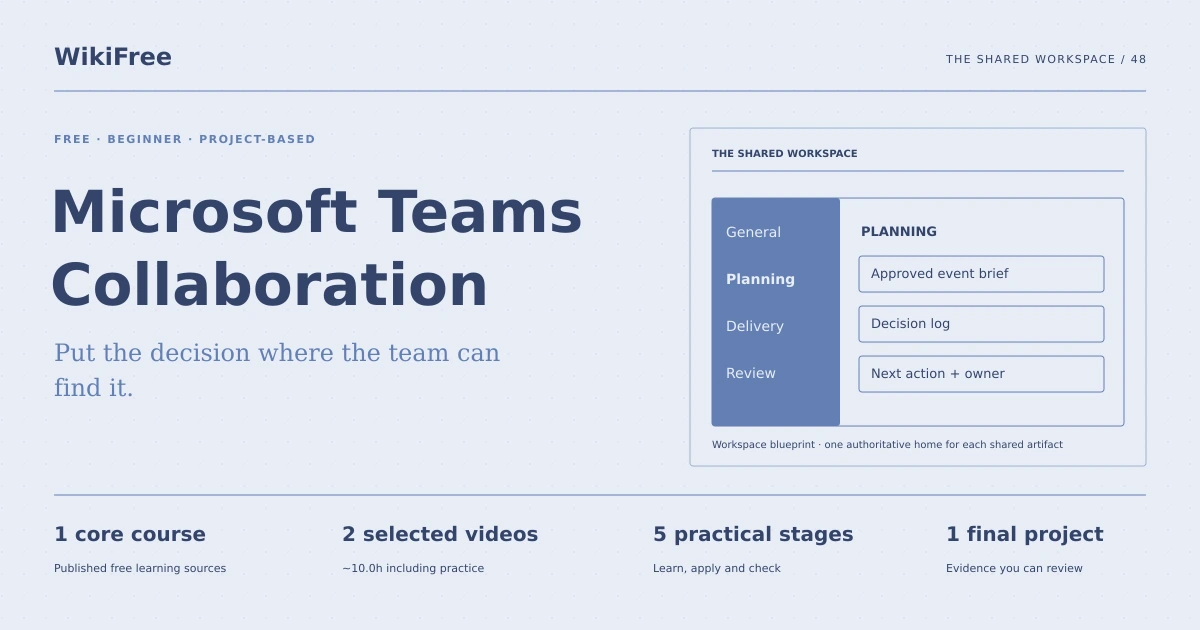
The shared workspace
Put the decision where the team can find it.
Design a clear Microsoft Teams workspace plan with channel purposes, document ownership, meeting notes and a practical handover convention.
Video duration uses the selected lessons only. Reading and practice times are planning estimates; repeat difficult work as needed.
A clear starting point
Who this is for
Basic computer use. A Teams account is optional for the planning route; account features depend on organization and license.
Your practical result
Design a clear Microsoft Teams workspace plan with channel purposes, document ownership, meeting notes and a practical handover convention.
This covers team collaboration design. It does not provision accounts, change organization permissions or rely on legacy Live Events functionality.
Access and cost
The videos are free. Complete the assessed blueprint in a document without a Teams account, or use an authorized existing account. Live Teams features and licensing vary; no paid license is assumed.
The project pack contains an original workbook, case inputs, an evidence log and reference notes. Some technical paths include starter code and a runnable reference. Read the pack README before starting.
Three-minute readiness check
Answer first, then open each explanation. A missed answer identifies what to revisit; it does not stop you from starting.
Should every small topic create a new channel?
No. Channels need a durable purpose.
Does a chat message automatically become the source of truth?
No. Decide where the authoritative artifact lives.
Are all Teams features available to every account?
No. Verify the actual account and license.
The case you will work on
The fictional Cedar Outreach team runs one monthly event with planning, delivery and review work. It currently loses decisions in long message threads. The path can be completed as a workspace blueprint without creating accounts or sending messages.
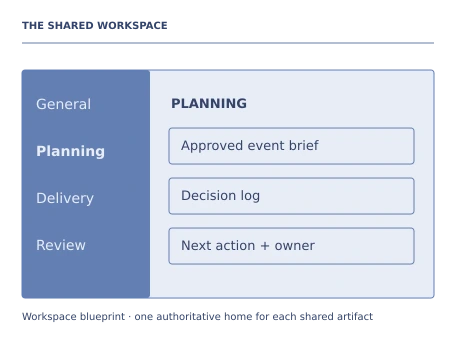
| Work area | Shared artifact |
|---|---|
| Planning | Decision log and event brief |
| Delivery | Task checklist and current materials |
| Review | Results and improvement notes |
| General | Team conventions and orientation |
These are supplied synthetic inputs, not observations from a real organization. Label assumptions and any additional data you create.
Keep an evidence trail
Save each stage output in the project folder. In evidence_log.csv, record the decision, the artifact or test that supports it, what failed, and the revision you made.
Your route from learning to evidence
- Stage 1Map collaboration needsA collaboration-purpose map.65 minutes of original practice
- Stage 2Design a small channel structureA Teams workspace blueprint.70 minutes of original practice
- Stage 3Define document ownership and versionsA document-governance and naming note.65 minutes of original practice
- Stage 4Capture a meeting outcomeA meeting note and linked action record.60 minutes of original practice
- Stage 5Test findability and handoverA findability review and onboarding note.70 minutes of original practice
- Final projectMake the evidence reviewableConnect the five stage outputs and test a change.180 minutes estimated
Progress stays in this browser. Tick a stage only after its evidence check passes. This is a personal checklist, not a certificate.
Why these source courses
The path uses selected material from courses already published on WikiFree. The original exercises below connect that material to one practical outcome. Follow only the listed assignments; completing the full source courses is optional.
Learn Skills Daily
Microsoft Teams Collaboration: Free Course
The beginner and advanced public Teams lessons provide interface and collaboration context. The legacy Live Events lesson is not assigned.
Access: Free Video
Certificate: Free video viewing; certificate not included
Learn it, apply it, check it
Work in order. Every stage produces something the next stage uses. Revisit the repair instruction when a check fails.
Map collaboration needs
Basic computer use. A Teams account is optional for the planning route; account features depend on organization and license.
The idea to use
Start with the work the team repeats and the artifacts it needs to find. Define when to use a channel conversation, a direct chat, a meeting or a shared document. The objective is findability and shared context, not more notifications. Public tutorial interfaces may differ from the organization current version, so verify available features before implementing the plan.
Watch the selected lessons
Selected video time: 45m. Open this course on WikiFree.
Your 65-minute lab
Create a communication map for planning, urgent coordination, decisions and document review.
Save: A collaboration-purpose map..
Evidence check
Each communication type has a clear home and a reason.
If it fails: Do not use private chat as the only record of a decision that the whole team needs.
Design a small channel structure
Bring your previous output: A collaboration-purpose map.
The idea to use
A channel should have a purpose, audience and expected content. Keep the structure small enough to navigate and use a consistent naming convention. Access-sensitive work may need separate membership and organizational review; do not place private information in a broad channel by default. In this exercise, all sample material is synthetic.
Watch the selected lessons
Selected video time: 43m. Open this course on WikiFree.
Your 70-minute lab
Design four channels with purpose statements, posting conventions and ownership.
Save: A Teams workspace blueprint..
Evidence check
Every channel has a durable purpose and the plan avoids duplicate homes for the same artifact.
If it fails: If two channels contain identical work, merge their purposes in the blueprint.
Define document ownership and versions
Bring your previous output: A Teams workspace blueprint.
The idea to use
A shared file needs an owner, a clear current version and an agreed review method. Linking to the authoritative file is usually clearer than scattering copies across messages. Record how a draft becomes approved and how an outdated file is identified. A workspace diagram cannot prove the organization permissions are configured correctly; that needs a live review if implemented.
Original practice stage. No additional video or reading assignment is required.
Your 65-minute lab
Write conventions for the event brief, task list and decision log, including owner and approval state.
Save: A document-governance and naming note..
Evidence check
The plan identifies one source of truth for each artifact and a visible draft/approved distinction.
If it fails: Do not label a file final while continuing to circulate competing copies.
Capture a meeting outcome
Bring your previous output: A document-governance and naming note.
The idea to use
A meeting note should preserve the decision, reasoning and next actions without becoming a transcript of every comment. Store it in the place the team expects to find it and link related work. Use mentions and notifications deliberately; a draft convention does not require sending any real message during this learning exercise.
Original practice stage. No additional video or reading assignment is required.
Your 60-minute lab
Create a sample event-planning note with two decisions and three actions, then place it in the proposed structure.
Save: A meeting note and linked action record..
Evidence check
Every action has an owner and date, and each decision can be found from the planning channel plan.
If it fails: Do not bury the final decision only in a meeting chat that later readers may miss.
Test findability and handover
Bring your previous output: A meeting note and linked action record.
The idea to use
A workspace succeeds when a new member can find the current plan and understand what to do next. Run three retrieval tasks against your blueprint or actual authorized practice workspace. Record time and confusion only if measured. Revise ambiguous names and write a short orientation note. Keep a blueprint review distinct from a live permission or feature test.
Original practice stage. No additional video or reading assignment is required.
Your 70-minute lab
Test finding the approved brief, latest decision and next task. Write a five-minute onboarding guide.
Save: A findability review and onboarding note..
Evidence check
The report states whether it tested a paper plan or a live workspace and names unresolved permission checks.
If it fails: Do not claim live collaboration is configured when only a diagram exists.
A worked reference to compare
The approved event brief has one authoritative location, while the decision log links to it from Planning. A new member follows the orientation note to the latest decision and next action rather than searching an entire chat history.
Compare your reasoning as well as the result. If your answer differs, state the assumption or input that explains the difference. Reference notes are for checking after an attempt; copying them is not evidence of independent work.
Your final project
Your brief
Deliver the communication map, four-channel blueprint, document conventions, meeting note and onboarding guide. Optionally implement them in your own authorized Teams workspace and record which features are actually available.
Time box: 3h 00m estimated. Extend it if a gate needs repair.
Hand in these artifacts
- A collaboration-purpose map.
- A Teams workspace blueprint.
- A document-governance and naming note.
- A meeting note and linked action record.
- A findability review and onboarding note.
- A short README: outcome, how to inspect or run the work, assumptions and limitations.
- A before-and-after change test and the completed evidence log.
Run a final review
- Use the supplied reference to reconcile the baseline result.
- Choose one relevant input or constraint to change. Write your expected effect before testing it.
- Run the calculation, walkthrough or test again and save the actual result.
- Ask a peer to inspect the evidence, or perform a separate self-review. Label which review you used.
- Score the work using the rubric and repair every critical failure.
Review rubric · 100 points
| Criterion | Points | Evidence to inspect |
|---|---|---|
| Practical outcome and case reasoning | 25 | Design a clear Microsoft Teams workspace plan with channel purposes, document ownership, meeting notes and a practical handover convention. |
| Five stage checks | 30 | Award 6 points for each stage only when its stated gate is demonstrably met. |
| Traceable evidence | 20 | Artifacts, inputs and calculations or tests are reproducible; synthetic and simulated evidence is labelled. |
| Revision after a changed condition | 15 | Change one input or constraint, predict the effect, test it and record the result. |
| Handoff quality | 10 | A reviewer can find the files, follow the instructions and understand the remaining limitations. |
Completion target: at least 80/100, all five stage gates passed, and every critical issue below corrected. This is a learning benchmark, not an accredited qualification.
Critical issue: The artifact clearly distinguishes a blueprint from a live implementation and identifies a single authoritative home for each document.
Before you go further
What will I be able to produce?
Design a clear Microsoft Teams workspace plan with channel purposes, document ownership, meeting notes and a practical handover convention.
Is the whole path free?
The videos are free. Complete the assessed blueprint in a document without a Teams account, or use an authorized existing account. Live Teams features and licensing vary; no paid license is assumed.
Do I need to finish every source course?
No. Follow the selected assignments at each stage. Source courses provide context, while the original case, labs and final review build the practical result. Extra study is optional.
What counts as completion?
Complete all five stage checks, earn at least 80/100 on the final rubric and correct every critical issue. This covers team collaboration design. It does not provision accounts, change organization permissions or rely on legacy Live Events functionality.
Questions & discussion
Share a useful question or correction. Comments appear after moderation. Please avoid personal or sensitive information.