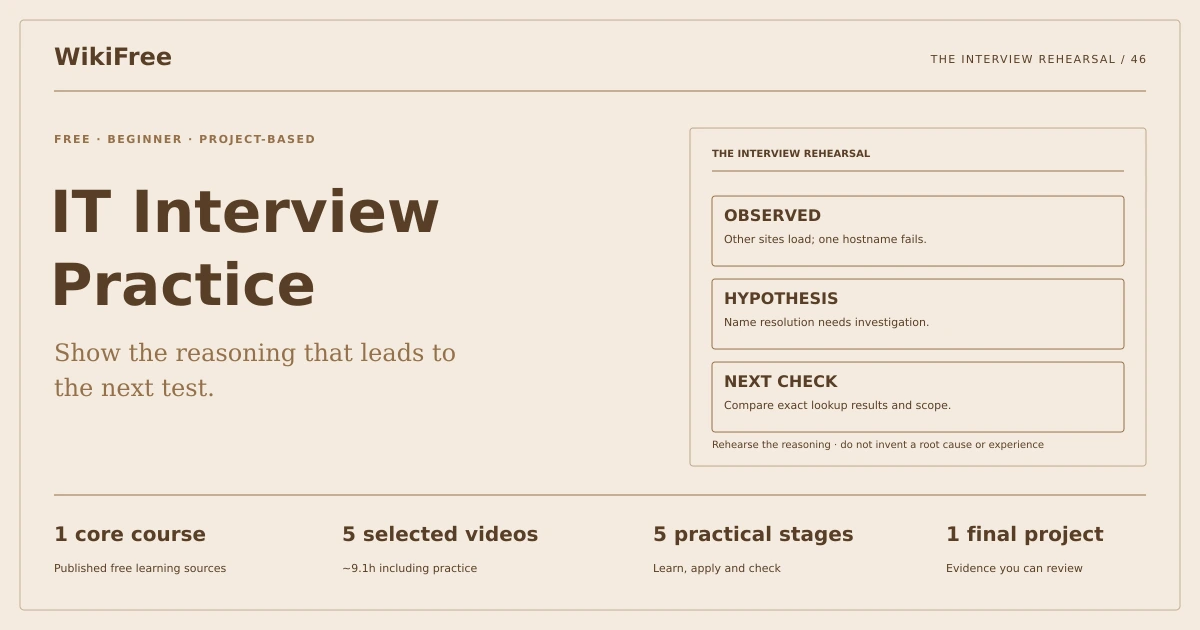
WikiFree learning path 46 · Beginner
The interview rehearsal
Show the reasoning that leads to the next test.
Prepare and rehearse five honest entry-level IT interview responses with clear troubleshooting steps, communication and boundaries.
Video duration uses the selected lessons only. Reading and practice times are planning estimates; repeat difficult work as needed.
A clear starting point
Who this is for
Basic familiarity with computers and common support tasks. No paid interview service or certification.
Your practical result
Prepare and rehearse five honest entry-level IT interview responses with clear troubleshooting steps, communication and boundaries.
This is interview practice, not a prediction of hiring outcomes or a substitute for hands-on IT experience.
Access and cost
Assigned public videos can be watched free. Complete the original case in a text editor, on paper or in a spreadsheet you already have. No paid course, exam or provider certificate is included.
The project pack contains an original workbook, case inputs, an evidence log and reference notes. Some technical paths include starter code and a runnable reference. Read the pack README before starting.
Three-minute readiness check
Answer first, then open each explanation. A missed answer identifies what to revisit; it does not stop you from starting.
Is guessing a command better than admitting uncertainty?
No. Explain how you would verify the next step.
Can a hypothetical scenario become a claimed work achievement?
No.
What should a troubleshooting answer begin with?
Scope, evidence and the user impact.
The case you will work on
The fictional Pine Helpdesk interview includes a network problem, an unfamiliar error, a deployment issue and a security concern. The learner must reason aloud from supplied facts and distinguish known evidence from a proposed next check.
| Prompt | Evidence supplied |
|---|---|
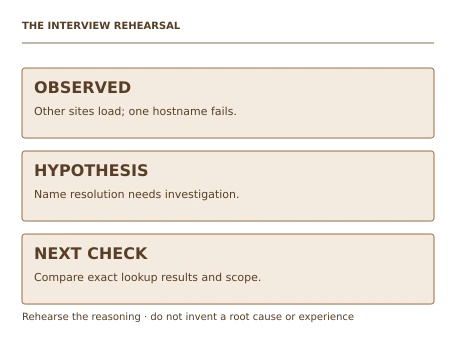
| Website unavailable | Other sites load; one hostname fails lookup |
| Unknown error | Exact message available; no recent-change history yet |
| Deployment failed | New version fails health check; old version available |
| Suspicious request | Sender asks for a password by message |
These are supplied synthetic inputs, not observations from a real organization. Label assumptions and any additional data you create.
Keep an evidence trail
Save each stage output in the project folder. In evidence_log.csv, record the decision, the artifact or test that supports it, what failed, and the revision you made.
Your route from learning to evidence
- Stage 1Structure a technical explanationA reusable technical-answer structure.50 minutes of original practice
- Stage 2Reason through a network symptomA network troubleshooting response.60 minutes of original practice
- Stage 3Handle an unfamiliar errorAn uncertainty-aware diagnostic response.65 minutes of original practice
- Stage 4Discuss deployment and security boundariesTwo bounded operational responses.75 minutes of original practice
- Stage 5Run a scored rehearsalA rehearsal log with one documented improvement.80 minutes of original practice
- Final projectMake the evidence reviewableConnect the five stage outputs and test a change.180 minutes estimated
Progress stays in this browser. Tick a stage only after its evidence check passes. This is a personal checklist, not a certificate.
Why these source courses
The path uses selected material from courses already published on WikiFree. The original exercises below connect that material to one practical outcome. Follow only the listed assignments; completing the full source courses is optional.
Free IT Support Interview Course: Technical Questions
Google public IT interview videos provide network, error, deployment, security and interview communication examples.
Access: Free Video
Certificate: Free video viewing; Google certification is not included
Learn it, apply it, check it
Work in order. Every stage produces something the next stage uses. Revisit the repair instruction when a check fails.
Structure a technical explanation
Basic familiarity with computers and common support tasks. No paid interview service or certification.
The idea to use
A technical answer is easier to follow when it states the problem, evidence, hypothesis, next test and decision. Keep the user impact visible. Avoid a memorized list of commands without explaining what each result would mean. If the scenario is hypothetical, say so; interview practice should strengthen honest reasoning rather than manufacture experience.
Watch the selected lessons
Selected video time: 15m. Open this course on WikiFree.
Your 50-minute lab
Create a 90-second answer outline and a self-review checklist for clarity, evidence and next action.
Save: A reusable technical-answer structure..
Evidence check
The outline distinguishes observed facts from proposed checks.
If it fails: Replace jargon chains with a short explanation of what the next test would establish.
Reason through a network symptom
Bring your previous output: A reusable technical-answer structure.
The idea to use
The supplied case affects one hostname while other sites load. That evidence narrows the scope but does not prove a root cause. Explain a name-resolution check and what success or failure would imply. Mention that an ICMP result alone does not settle an HTTPS problem. Escalation should include the exact symptom and tests already performed.
Watch the selected lessons
Selected video time: 5m. Open this course on WikiFree.
Your 60-minute lab
Record or write a two-minute answer to the network prompt. Include two possible test outcomes and next steps.
Save: A network troubleshooting response..
Evidence check
The answer does not claim a proven cause from the limited facts.
If it fails: Do not prescribe resetting all network settings before a discriminating check.
Handle an unfamiliar error
Bring your previous output: A network troubleshooting response.
The idea to use
An unfamiliar error calls for disciplined information gathering: exact text, timing, affected users, recent changes and a minimal reproduction. Search official documentation using the specific message and version, then test one hypothesis at a time. An interview answer can demonstrate competence by explaining this process without pretending to know every error code.
Watch the selected lessons
Selected video time: 6m. Open this course on WikiFree.
Your 65-minute lab
Write an answer that requests the missing context and proposes a safe reproduction and documentation check.
Save: An uncertainty-aware diagnostic response..
Evidence check
The answer explicitly says which information is missing and avoids an invented fix.
If it fails: If you cannot explain why a command is relevant, leave it out until verified.
Discuss deployment and security boundaries
Bring your previous output: An uncertainty-aware diagnostic response.
The idea to use
For a failed deployment, compare health checks and define rollback criteria before more changes. For a suspicious password request, protect the credential and verify through an established independent channel. These answers demonstrate judgment about authority and risk, not merely technical vocabulary. Do not claim that one generic action solves every incident.
Watch the selected lessons
- 3. IT Technical Interview Questions and Answers: Application Deployment2:42
- 4. Information Security: Technical Interview Questions4:24
Selected video time: 7m. Open this course on WikiFree.
Your 75-minute lab
Draft separate deployment and security responses, each with a stop condition and escalation owner.
Save: Two bounded operational responses..
Evidence check
The deployment answer preserves a rollback option and the security answer never shares a password.
If it fails: Avoid promising a fix without knowing the environment or bypassing established access controls.
Run a scored rehearsal
Bring your previous output: Two bounded operational responses.
The idea to use
Score answers on evidence, reasoning, communication and honesty. A strong response can be concise and still show what would change the next decision. Rehearse once, note filler or unsupported claims and revise. A friend can ask follow-ups, but a solo recording is also valid if labeled correctly. Keep the review focused on behaviors you can improve.
Original practice stage. No additional video or reading assignment is required.
Your 80-minute lab
Rehearse all five responses using the supplied rubric. Revise the weakest answer and repeat it.
Save: A rehearsal log with one documented improvement..
Evidence check
Scores are based on the actual rehearsal and no experience is fabricated.
If it fails: Do not assign perfect scores before listening to or reading the answer.
A worked reference to compare
A credible answer says: Other sites work, so I would first compare name resolution for the affected hostname and a known-good one. I would record the resolver and exact error, then choose the next check from that result. It does not assert a root cause that has not been tested.
Compare your reasoning as well as the result. If your answer differs, state the assumption or input that explains the difference. Reference notes are for checking after an attempt; copying them is not evidence of independent work.
Your final project
Your brief
Deliver five response outlines, rehearsal evidence, self-scores and a revision note. Add a follow-up question to each response and explain how new evidence could change your answer.
Time box: 3h 00m estimated. Extend it if a gate needs repair.
Hand in these artifacts
- A reusable technical-answer structure.
- A network troubleshooting response.
- An uncertainty-aware diagnostic response.
- Two bounded operational responses.
- A rehearsal log with one documented improvement.
- A short README: outcome, how to inspect or run the work, assumptions and limitations.
- A before-and-after change test and the completed evidence log.
Run a final review
- Use the supplied reference to reconcile the baseline result.
- Choose one relevant input or constraint to change. Write your expected effect before testing it.
- Run the calculation, walkthrough or test again and save the actual result.
- Ask a peer to inspect the evidence, or perform a separate self-review. Label which review you used.
- Score the work using the rubric and repair every critical failure.
Review rubric · 100 points
| Criterion | Points | Evidence to inspect |
|---|---|---|
| Practical outcome and case reasoning | 25 | Prepare and rehearse five honest entry-level IT interview responses with clear troubleshooting steps, communication and boundaries. |
| Five stage checks | 30 | Award 6 points for each stage only when its stated gate is demonstrably met. |
| Traceable evidence | 20 | Artifacts, inputs and calculations or tests are reproducible; synthetic and simulated evidence is labelled. |
| Revision after a changed condition | 15 | Change one input or constraint, predict the effect, test it and record the result. |
| Handoff quality | 10 | A reviewer can find the files, follow the instructions and understand the remaining limitations. |
Completion target: at least 80/100, all five stage gates passed, and every critical issue below corrected. This is a learning benchmark, not an accredited qualification.
Critical issue: The answers remain honest about experience and distinguish proposed tests from completed actions.
Before you go further
What will I be able to produce?
Prepare and rehearse five honest entry-level IT interview responses with clear troubleshooting steps, communication and boundaries.
Is the whole path free?
Assigned public videos can be watched free. Complete the original case in a text editor, on paper or in a spreadsheet you already have. No paid course, exam or provider certificate is included.
Do I need to finish every source course?
No. Follow the selected assignments at each stage. Source courses provide context, while the original case, labs and final review build the practical result. Extra study is optional.
What counts as completion?
Complete all five stage checks, earn at least 80/100 on the final rubric and correct every critical issue. This is interview practice, not a prediction of hiring outcomes or a substitute for hands-on IT experience.
Questions & discussion
Share a useful question or correction. Comments appear after moderation. Please avoid personal or sensitive information.