WikiFree learning path 35 · Beginner
The function playground
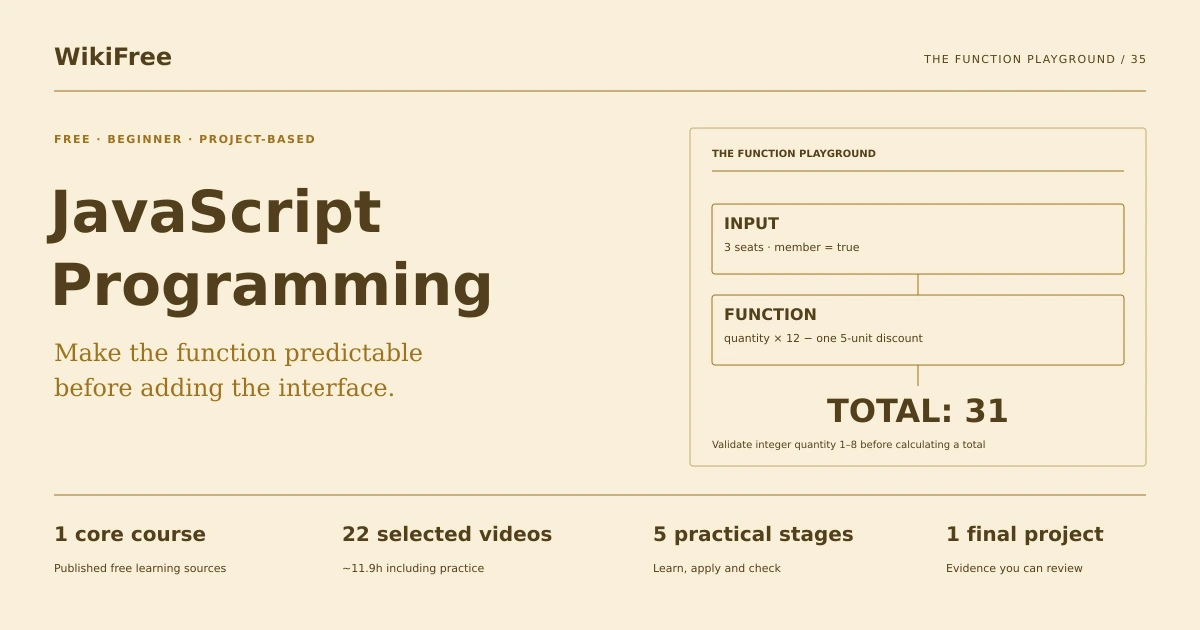
Make the function predictable before adding the interface.
Build a JavaScript workshop-cost calculator with validated inputs, pure calculation functions and meaningful edge-case checks.
Video duration uses the selected lessons only. Reading and practice times are planning estimates; repeat difficult work as needed.
A clear starting point
Who this is for
Basic computer use. A modern browser and text editor; HTML familiarity helps but no framework is required.
Your practical result
Build a JavaScript workshop-cost calculator with validated inputs, pure calculation functions and meaningful edge-case checks.
This teaches core JavaScript and a small browser interface. It does not cover frameworks, payment processing or production checkout security.
Access and cost
Assigned public videos can be watched free. Complete the original case in a text editor, on paper or in a spreadsheet you already have. No paid course, exam or provider certificate is included.
The project pack contains an original workbook, case inputs, an evidence log and reference notes. Some technical paths include starter code and a runnable reference. Read the pack README before starting.
Three-minute readiness check
Answer first, then open each explanation. A missed answer identifies what to revisit; it does not stop you from starting.
Is the string 3 the same type as the number 3?
No. Parse and validate form input deliberately.
Should a calculation function change unrelated page state?
Prefer a pure function with an explicit result.
Where does the discount apply?
Once per valid booking.
The case you will work on
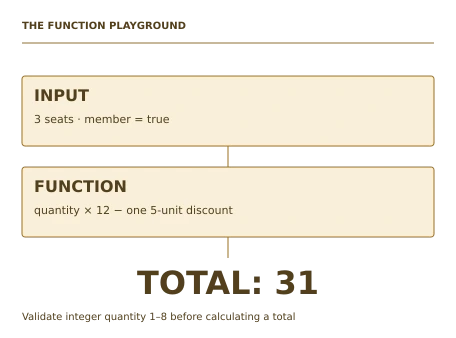
The fictional Acorn Workshop charges 12 currency units per seat. Valid quantity is an integer from 1 through 8. A member receives a fixed 5-unit discount per booking, not per seat. Invalid quantities must produce a clear error and no total.
| Seats | Member | Expected total |
|---|---|---|
| 1 | No | 12 |
| 1 | Yes | 7 |
| 3 | Yes | 31 |
| 8 | No | 96 |
| 0 | No | Invalid |
| 1.5 | Yes | Invalid |
These are supplied synthetic inputs, not observations from a real organization. Label assumptions and any additional data you create.
Keep an evidence trail
Save each stage output in the project folder. In evidence_log.csv, record the decision, the artifact or test that supports it, what failed, and the revision you made.
Your route from learning to evidence
- Stage 1Represent the inputsAn input contract and example table.60 minutes of original practice
- Stage 2Write a pure calculation functionA pure calculation function.90 minutes of original practice
- Stage 3Process several bookingsA batch summary with rejection details.75 minutes of original practice
- Stage 4Connect a small interfaceA working browser calculator with clear errors.90 minutes of original practice
- Stage 5Test boundaries and explain the codeA calculator package with independent expected results.75 minutes of original practice
- Final projectMake the evidence reviewableConnect the five stage outputs and test a change.210 minutes estimated
Progress stays in this browser. Tick a stage only after its evidence check passes. This is a personal checklist, not a certificate.
Why these source courses
The path uses selected material from courses already published on WikiFree. The original exercises below connect that material to one practical outcome. Follow only the listed assignments; completing the full source courses is optional.
Microsoft
Free JavaScript Course: Core Programming Skills
Selected Microsoft lessons cover types, arithmetic, conditions, functions, arrays, objects, JSON and errors without assigning the entire 51-video series.
Access: Free Video
Certificate: Video viewing only; no certification exam or certificate promised
Learn it, apply it, check it
Work in order. Every stage produces something the next stage uses. Revisit the repair instruction when a check fails.
Represent the inputs
Basic computer use. A modern browser and text editor; HTML familiarity helps but no framework is required.
The idea to use
Form values arrive as text, so convert them deliberately and check the result before calculation. Name quantity, membership and unit price clearly. A blank string converted carelessly can become zero, and a decimal can slip through a simple greater-than check. Write the data contract first so the implementation has an unambiguous target.
Watch the selected lessons
- 2. What Is JavaScript3:33
- 6. Creating your first application4:20
- 9. Declaring variables3:53
- 10. Demo: Declaring variables6:55
- 15. Data types in JavaScript5:41
- 16. Demo: Data types in JavaScript5:45
Selected video time: 30m. Open this course on WikiFree.
Your 60-minute lab
Define the input types and validation rules. Create examples for blank, numeric, decimal and nonnumeric quantities.
Save: An input contract and example table..
Evidence check
Valid quantity is an integer 1–8; blank and nonnumeric values are rejected.
If it fails: Do not rely on truthiness to distinguish all valid and invalid numeric inputs.
Write a pure calculation function
Bring your previous output: An input contract and example table.
The idea to use
Separate validation from the arithmetic result. For a valid booking, total equals quantity times 12 minus 5 if the member flag is true. Return a consistent result or a clear error without changing global variables. This separation makes the same logic usable from a browser form and a test script.
Watch the selected lessons
- 17. Math in JavaScript1:06
- 19. Converting strings to numbers2:13
- 25. Boolean logic with if statements5:39
- 26. Demo: Boolean logic with if statements7:28
- 37. Functions9:34
- 38. Demo: Functions8:02
Selected video time: 34m. Open this course on WikiFree.
Your 90-minute lab
Implement calculateTotal(quantity, isMember) and compare it with the six supplied examples.
Save: A pure calculation function..
Evidence check
Three member seats cost 31, not 21; the discount is applied once.
If it fails: If every seat gets the discount, move the subtraction outside the multiplication.
Process several bookings
Bring your previous output: A pure calculation function.
The idea to use
An array can represent a set of booking objects. Iterate without changing the original inputs, calculate each valid total and retain rejected rows with their reason. Silently dropping invalid records makes a summary difficult to audit. A useful result reports accepted count, rejected count and accepted revenue separately.
Watch the selected lessons
- 29. Creating arrays1:30
- 31. Populating arrays3:32
- 33. Array methods2:00
- 35. Loops7:24
- 36. Demo: Loops7:17
- 43. Objects in JavaScript10:43
Selected video time: 32m. Open this course on WikiFree.
Your 75-minute lab
Process four supplied bookings: 1 nonmember, 3 member, 8 nonmember and 0 nonmember.
Save: A batch summary with rejection details..
Evidence check
Accepted count is 3, rejected count is 1 and accepted total is 139.
If it fails: Do not coerce an invalid quantity to a valid minimum without telling the user.
Connect a small interface
Bring your previous output: A batch summary with rejection details.
The idea to use
A user interface should expose validation feedback near the input and show a total only for valid data. JSON can store sample records, but it does not validate their meaning. Use textContent for user-derived display strings and avoid inserting unchecked text as HTML. Keep calculation logic separate from event handling so the function remains testable.
Watch the selected lessons
- 21. Handling errors with try/catch/finally3:18
- 22. Demo: Handling errors with try/catch/finally3:34
- 41. JavaScript Object Notation (JSON)4:29
- 42. Demo: JavaScript Object Notation (JSON)6:31
Selected video time: 18m. Open this course on WikiFree.
Your 90-minute lab
Connect the supplied form to the function. Add a labeled quantity input, membership checkbox and live result area.
Save: A working browser calculator with clear errors..
Evidence check
Invalid input clears any previous valid total and presents a readable correction message.
If it fails: If an old total remains after an error, reset the result state before showing feedback.
Test boundaries and explain the code
Bring your previous output: A working browser calculator with clear errors.
The idea to use
Test the edges where behavior changes: 0, 1, 8, 9, a decimal, blank text and nonnumeric input. Include member and nonmember paths. Expected values should come from the business rule, not by copying the function output. A short README explains how to run the page and which cases are covered.
Original practice stage. No additional video or reading assignment is required.
Your 75-minute lab
Run the supplied checks, add a ninth case and write a two-paragraph explanation of validation and discount logic.
Save: A calculator package with independent expected results..
Evidence check
All specified boundaries behave correctly and the README distinguishes parsing from calculation.
If it fails: A test that calls the same helper to calculate its expected answer cannot independently verify the arithmetic.
A worked reference to compare
The accepted sample totals are 12, 31 and 96, giving 139. Quantity zero is rejected. The member discount is a single 5-unit reduction, so three seats cost 3×12−5=31.
Compare your reasoning as well as the result. If your answer differs, state the assumption or input that explains the difference. Reference notes are for checking after an attempt; copying them is not evidence of independent work.
Your final project
Your brief
Deliver the calculator page, JavaScript, sample JSON, test results and README. Change the unit price to 15 in one named constant and update independent expected values while preserving the once-per-booking discount.
Time box: 3h 30m estimated. Extend it if a gate needs repair.
Hand in these artifacts
- An input contract and example table.
- A pure calculation function.
- A batch summary with rejection details.
- A working browser calculator with clear errors.
- A calculator package with independent expected results.
- A short README: outcome, how to inspect or run the work, assumptions and limitations.
- A before-and-after change test and the completed evidence log.
Run a final review
- Use the supplied reference to reconcile the baseline result.
- Choose one relevant input or constraint to change. Write your expected effect before testing it.
- Run the calculation, walkthrough or test again and save the actual result.
- Ask a peer to inspect the evidence, or perform a separate self-review. Label which review you used.
- Score the work using the rubric and repair every critical failure.
Review rubric · 100 points
| Criterion | Points | Evidence to inspect |
|---|---|---|
| Practical outcome and case reasoning | 25 | Build a JavaScript workshop-cost calculator with validated inputs, pure calculation functions and meaningful edge-case checks. |
| Five stage checks | 30 | Award 6 points for each stage only when its stated gate is demonstrably met. |
| Traceable evidence | 20 | Artifacts, inputs and calculations or tests are reproducible; synthetic and simulated evidence is labelled. |
| Revision after a changed condition | 15 | Change one input or constraint, predict the effect, test it and record the result. |
| Handoff quality | 10 | A reviewer can find the files, follow the instructions and understand the remaining limitations. |
Completion target: at least 80/100, all five stage gates passed, and every critical issue below corrected. This is a learning benchmark, not an accredited qualification.
Critical issue: Invalid quantities cannot produce a payable total and the membership discount is applied exactly once.
Before you go further
What will I be able to produce?
Build a JavaScript workshop-cost calculator with validated inputs, pure calculation functions and meaningful edge-case checks.
Is the whole path free?
Assigned public videos can be watched free. Complete the original case in a text editor, on paper or in a spreadsheet you already have. No paid course, exam or provider certificate is included.
Do I need to finish every source course?
No. Follow the selected assignments at each stage. Source courses provide context, while the original case, labs and final review build the practical result. Extra study is optional.
What counts as completion?
Complete all five stage checks, earn at least 80/100 on the final rubric and correct every critical issue. This teaches core JavaScript and a small browser interface. It does not cover frameworks, payment processing or production checkout security.
Questions & discussion
Share a useful question or correction. Comments appear after moderation. Please avoid personal or sensitive information.